3D Furniture Model from a Photo: GLB, FBX and OBJ for SketchUp and 3ds Max
Two real models: a chair from one photo and a chest of drawers from four. How to set exact sizes, which model type to choose, how to open the file in 3ds Max, SketchUp and Blender, and what not to expect.
· 6 min read · CreateViz AI
The armchair you need isn't in any 3D library, and the manufacturer only has photos? In CreateViz AI a 3D model of an object is made from a photo in a couple of minutes – with files for 3ds Max, SketchUp and Blender, in the sizes you specify. Below are two real models: a chair from one photo and a chest of drawers from four, and what you can and can't do with them.
A chair from one photo
The source is a photo of a chair with a cane back on a light background. Sizes were entered by hand: 45 × 50 × 82 cm. Type – “Wide shot”, light mesh. The model was ready in 2 minutes.
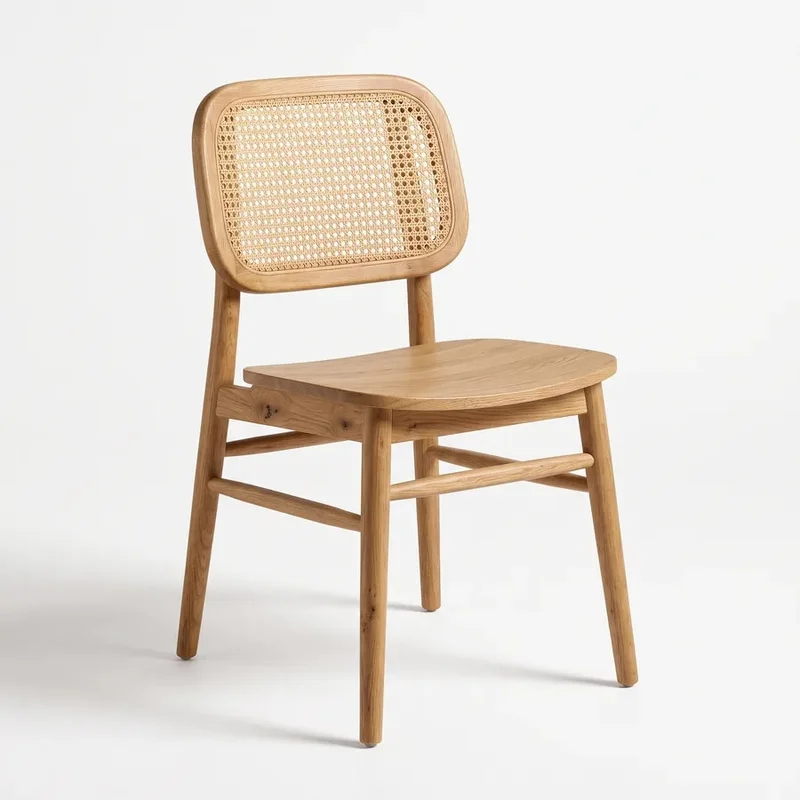
Photo
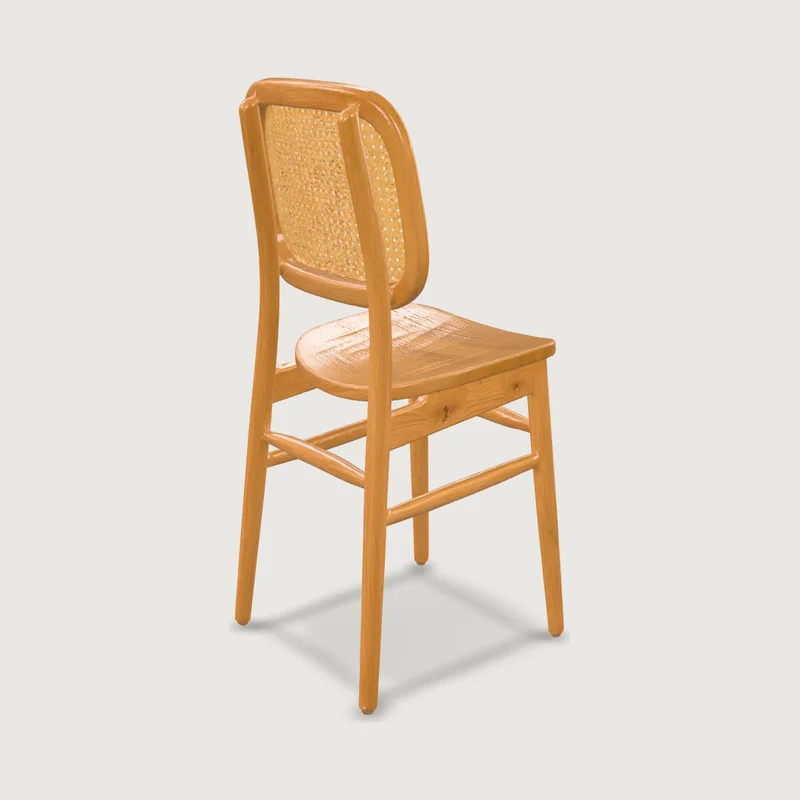
Model, front
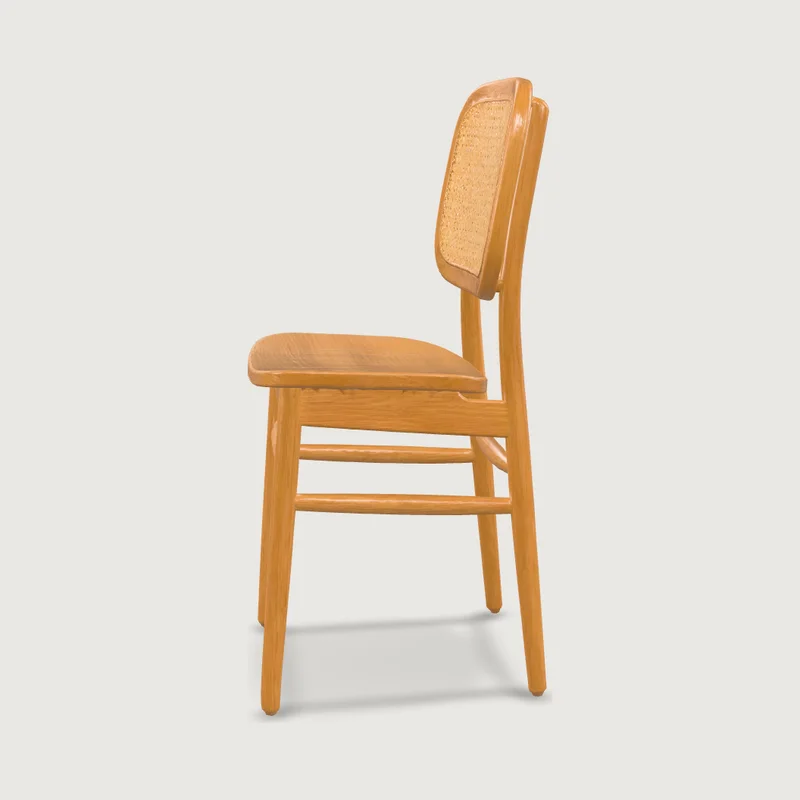
Side
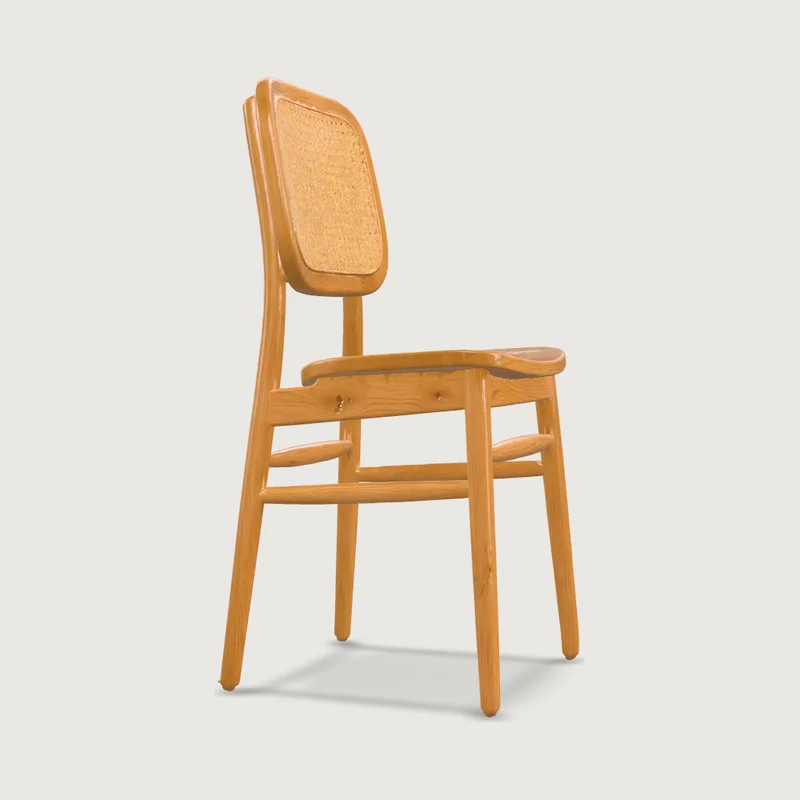
Back
- The shape, proportions, rails and stretchers between the legs match the photo.
- The images are from a 5 November run, when models came with an AI texture from the photo. Since 10 November the textures are different – clean and seamless: light oak on the frame, neutral linen on the rest, easy to replace with yours. In a “Detailed” model each part is a separate object, thin long parts (legs, rails) are in the Frame group, the rest in Body. The UVs are in real-world scale – wood and fabric lie evenly.
- The back and side of the chair weren't in the photo – the AI imagined them. Here it looks plausible, but with complex furniture the back may differ from the real one.
- The caning is an image on the surface, not real holes. Invisible from a distance, noticeable in a close-up.
A chest of drawers from four photos
If you have photos of the object from other sides, you can add them to the main one: on your right, from the back and on your left. Same price, and the AI has less to imagine. For the test we put a red ball on the chest – it shows the sides weren't mixed up.
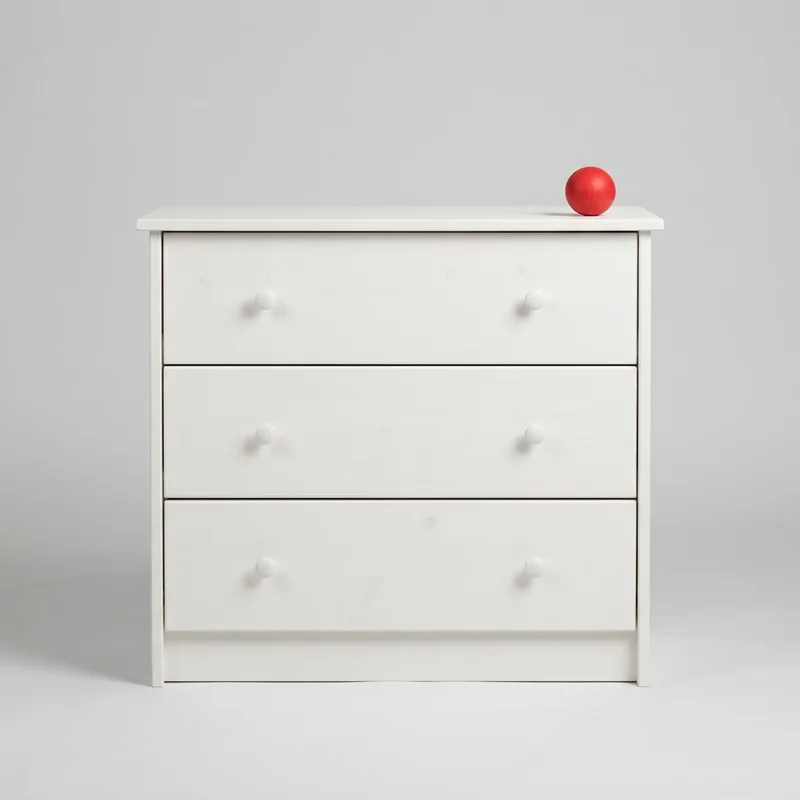
Main photo
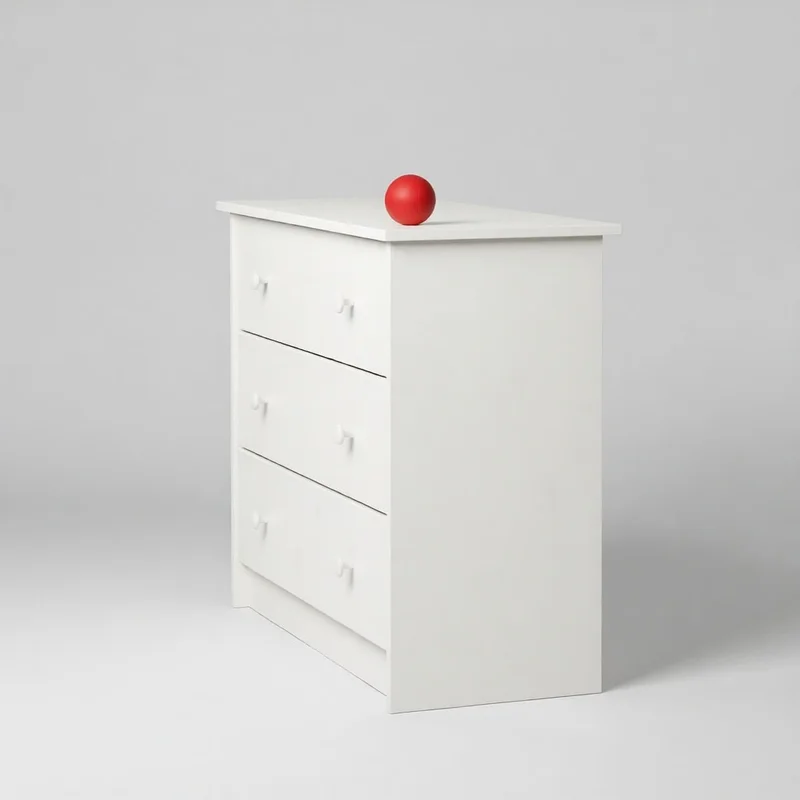
Side
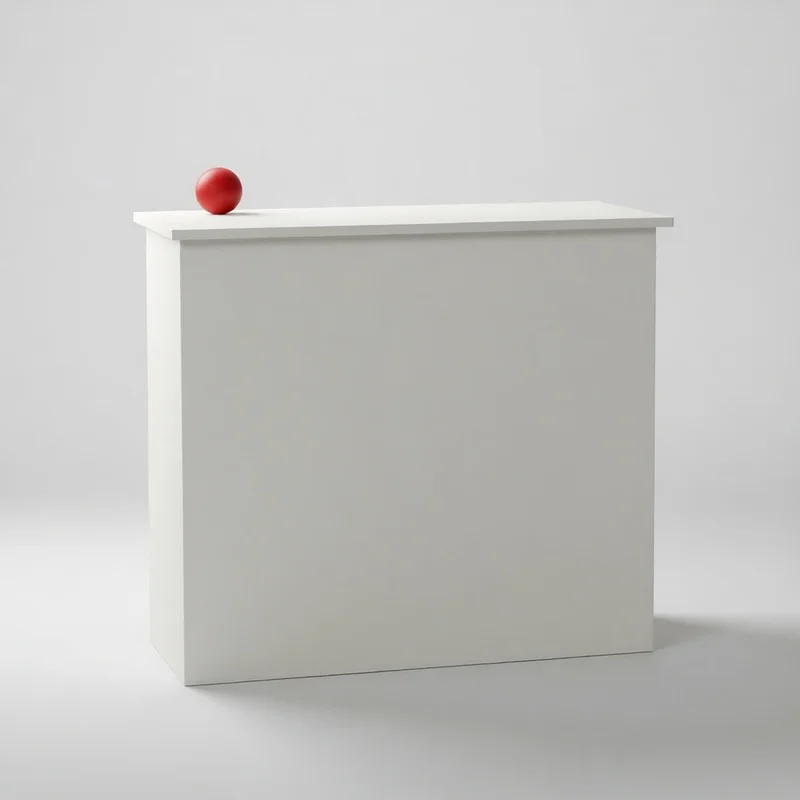
Back
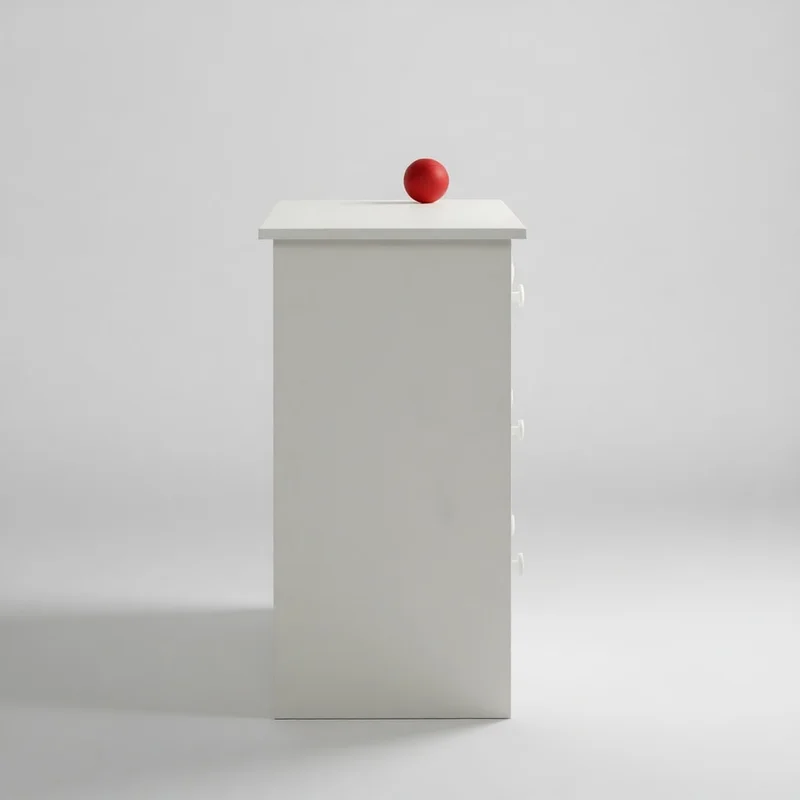
Other side
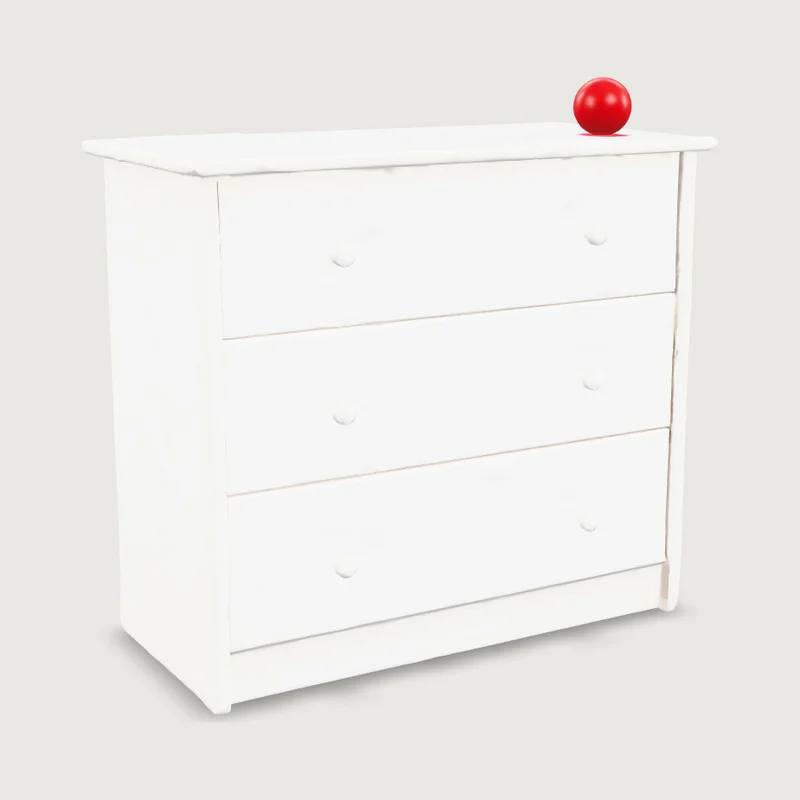
Model, front three-quarter
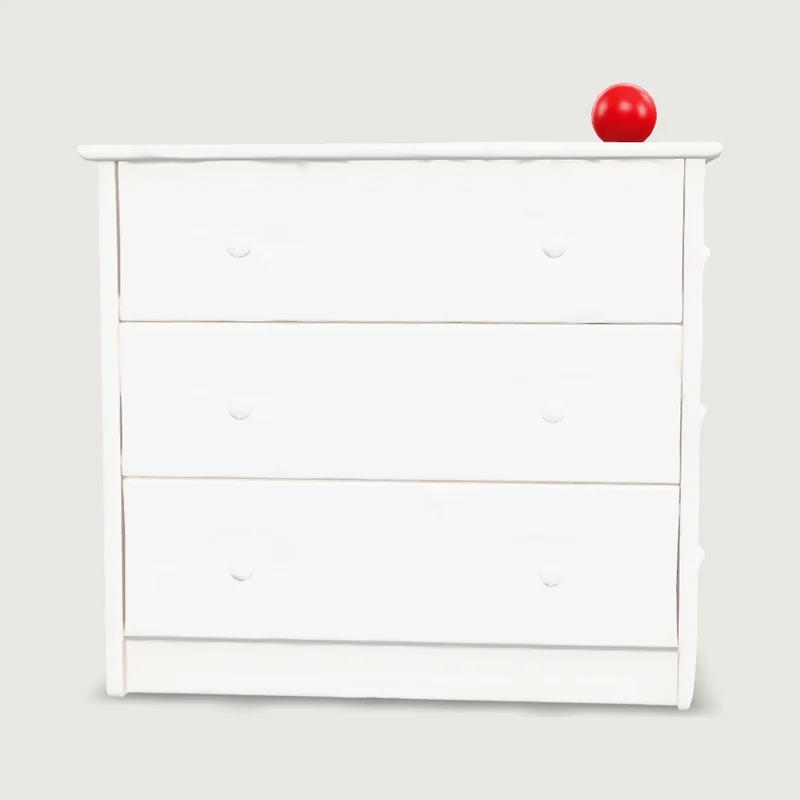
Front
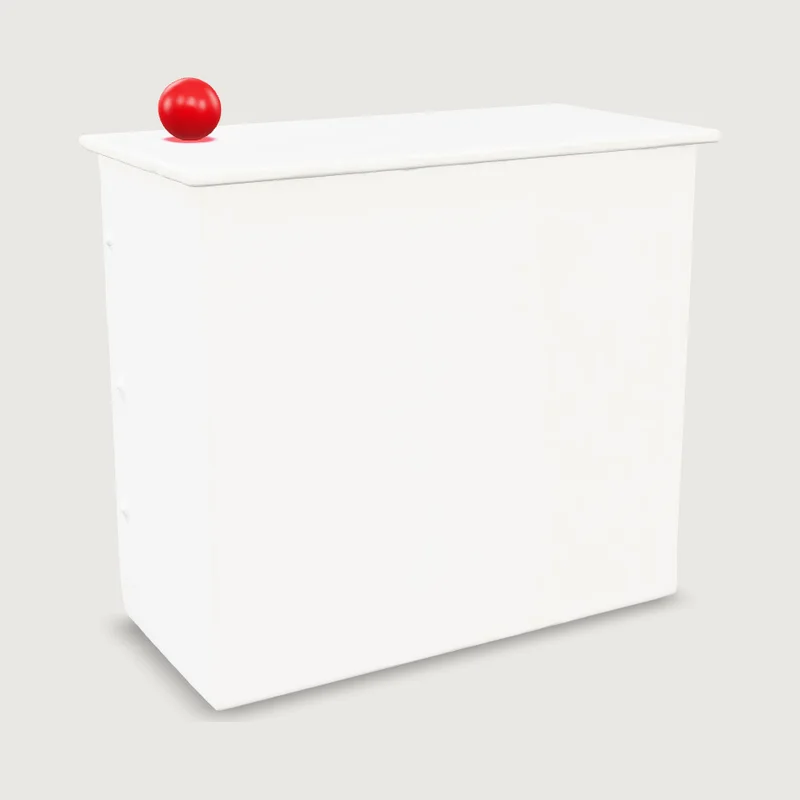
Back
- The back panel is plain, as in the photo, and the ball sits in the right corner of the top, as in the main photo. Drawers, plinth and knobs are in place.
- No sizes were entered – the AI estimated them from the photo: 80 × 40 × 80 cm. For a real chest this estimate may be a few centimeters off – you can correct the sizes later for free.
- Honestly: the fronts show a slight wave – the “Wide shot” type uses a triangle mesh, and flat surfaces aren't perfectly flat. For hero furniture “Detailed” is better: clean surfaces and a quad mesh.
Two model types
| Type | For | Mesh | Price |
|---|---|---|---|
| Wide shot | Filling a scene, mid and far shots, decor, soft shapes | Triangles, detail of your choice: 30 thousand to 1.5 million | 30 credits ($1.10) |
| Detailed | The hero object, close-ups, a model to edit | Quads, clean flat surfaces | 80 credits ($2.92) |
In brackets – in money on the Start plan.
How to make a model: step by step
- Open the generator and pick “3D model” in the left column.
- Upload a photo: one whole object, preferably from the front slightly to the side. Photos from other sides are optional, up to 4 photos including the main one.
- Enter the width, depth and height – in centimeters or inches. You can dictate them or upload a photo of a price tag, a catalog page or a drawing – the AI finds the numbers and asks you to confirm.
- Choose the model type and press “Create 3D model”. A model is usually ready in 1–4 minutes.
- Download FBX, GLB or OBJ. All models are kept in your account under “3D models” and in the project.
Importing into 3ds Max, SketchUp and Blender
| App | File | Notes |
|---|---|---|
| 3ds Max | FBX | Z up, as usual in Max. The model stands on the floor: the pivot is at the bottom center. |
| SketchUp | GLB | If your version doesn't open GLB, use OBJ or FBX – all three files have the same dimensions. |
| Blender | GLB | Opens via glTF import; the oak and linen textures with UVs are in FBX and OBJ, the GLB has only their colors. |
| Others | OBJ | An archive: the model and the material file side by side. Cinema 4D, ArchiCAD, Revit and other apps. |
What not to expect
- A millimeter-exact copy: it's a model “from a photo”, not a survey. Overall sizes are exact, small details are approximate.
- Thin details as geometry: caning, mesh and openwork come out simplified – a smooth panel or a rough mesh.
- A mesh like a hand-made 3ddd model: “Detailed” is clean and light, but the mesh lines don't always follow the object's shape.
- Materials as in the photo: oak and linen are generic and neutral; you assign your own wood and fabric, glass, mirror and metal in your app.
- A model of a whole room: the tool makes one object. To visualize a room, use the image generator.
Once the model is in your scene, you can render it. How to turn a clay 3D model or a sketch into a photo – on the AI interior rendering page. Everything about 3D models from photos – on the 3D model from a photo page.
FAQ
Can I make a 3D model of furniture from one photo?
Yes. The AI builds a model from one photo and imagines the hidden sides from the object's shape. If you have photos from the sides and back, add them – the model will be more accurate, at the same price.
Which format should I use for 3ds Max and SketchUp?
For 3ds Max – FBX (Z up, as usual in Max). For SketchUp and Blender – GLB. OBJ in an archive – for other apps. All three files are available at once and have the same dimensions.
Will the model be the right size?
If you enter the width, depth and height, each side will match exactly, in centimeters (inches and millimeters are converted automatically). Without sizes the AI estimates them from the photo – that's approximate, so for a scene it's better to enter real ones.
How much does a 3D model from a photo cost?
“Wide shot” – 30 credits ($1.10), “Detailed” – 80 credits ($2.92). 3D models come with a subscription on the “Start”, “Designer”, “Active Designer”, “Studio” plans. If a model fails for a technical reason, the credits come back automatically.
Will a photo of furniture in a room work?
The site removes the background itself, but a photo of one whole object works best: from a catalog, a store website or your own on a plain background. If other things stand nearby, the AI may grab bits of them.