How to Present AI Visualizations to Clients Honestly
What the AI changes unasked, what to check before the meeting, which caption to put on the slide, what you can and can't promise the client, and how to get options approved.
· 4 min read · CreateViz AI
An AI image is convincing – sometimes too convincing. The client sees a beautiful room and expects it down to the last socket, while the AI may have swapped a faucet or added a niche along the way. Here's how to present such visualizations so they help the project rather than cause trouble – based on our own tests.
What the AI changes unasked
All of this happened in our tests on November 6, 2026 – with detailed requests:
- installed a wall-mounted faucet instead of a deck-mounted one;
- replaced a chandelier with a similar one, although we asked to keep it;
- removed some of the ceiling spotlights;
- made the handles brass although we asked for oak;
- added a niche, a shelf, plants, a painting.
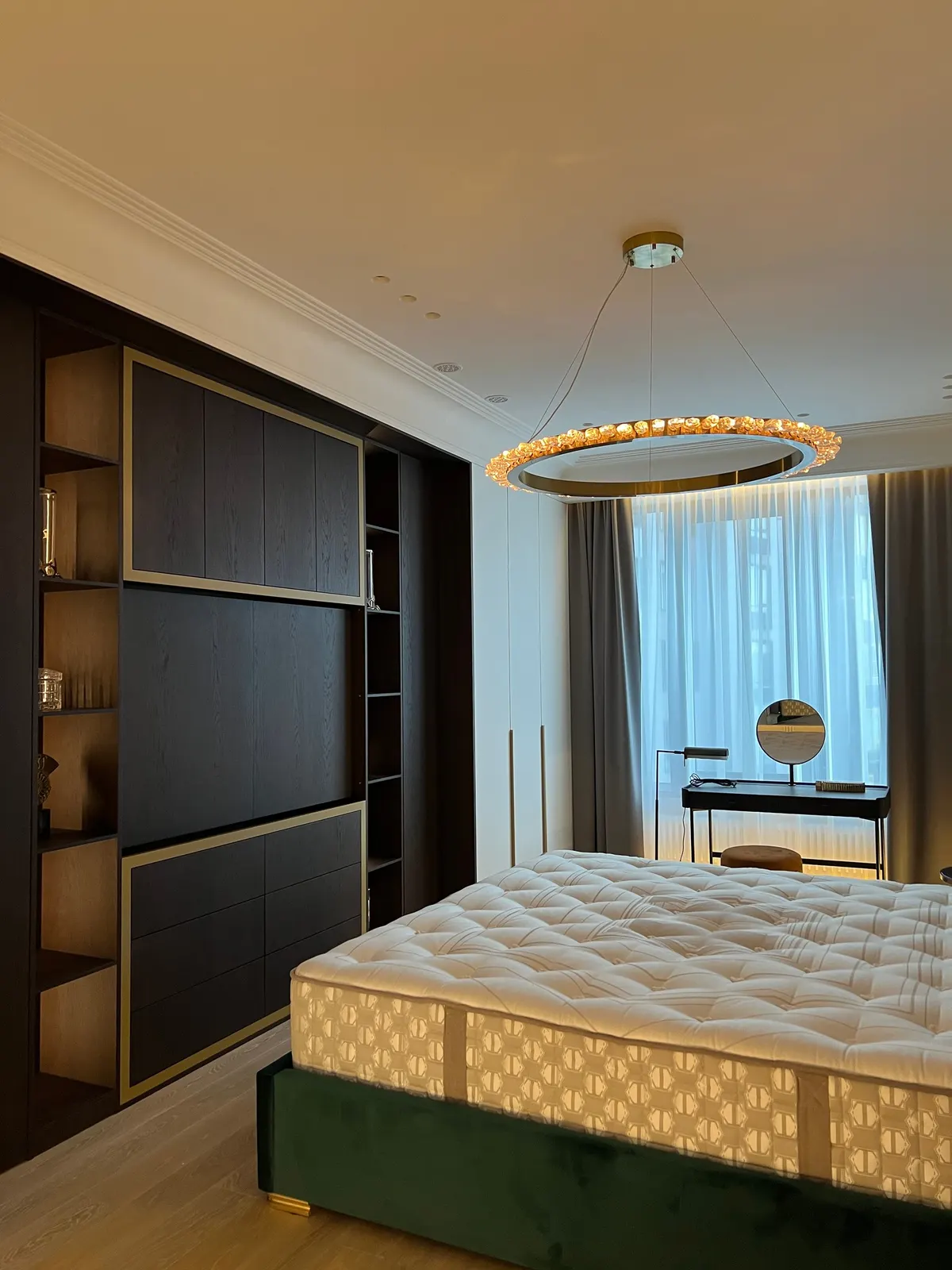
Source photo
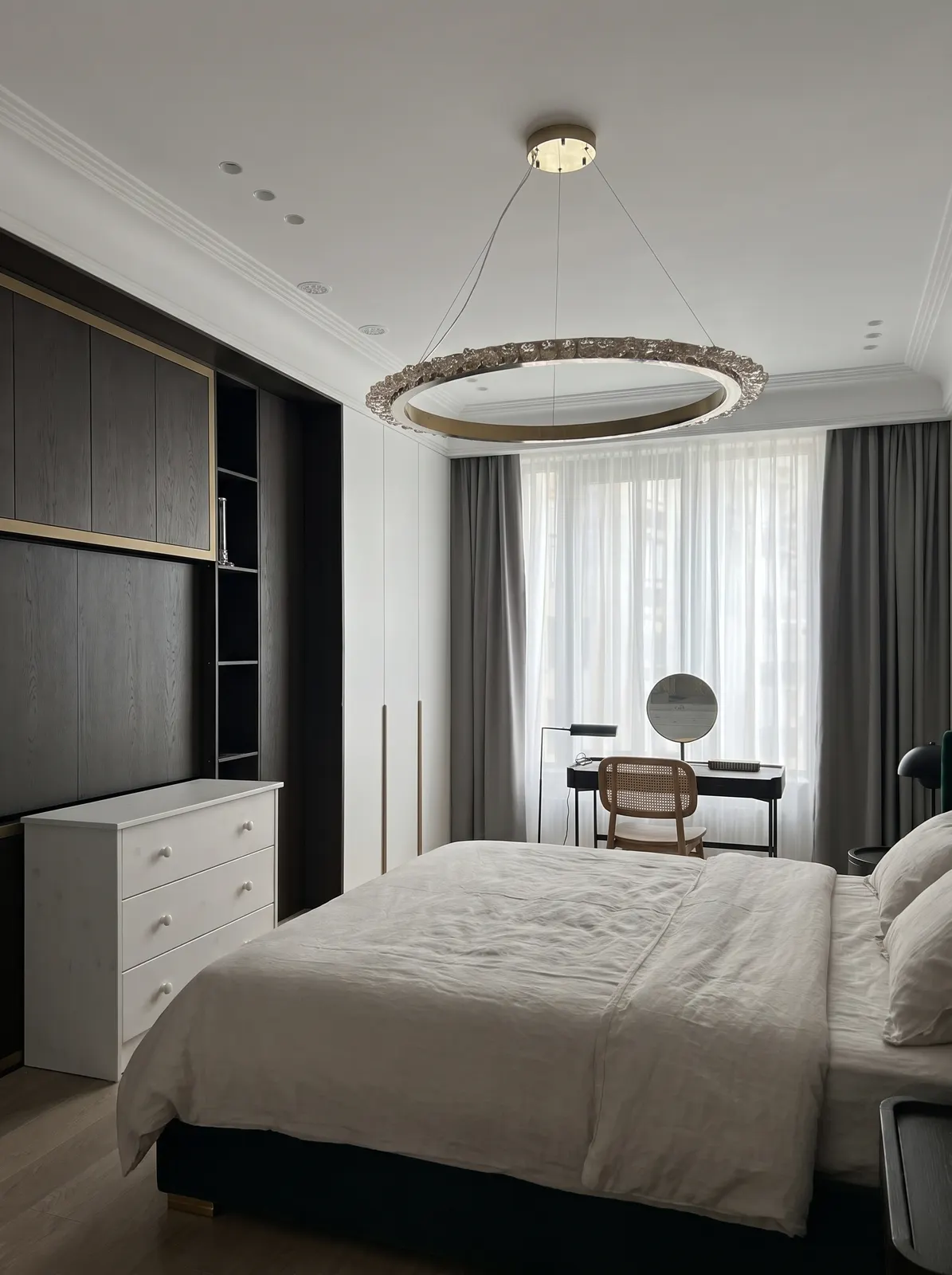
The chandelier replaced unasked
Before the meeting
- Check the image against the source: windows, doors, niches, sockets, lights, plumbing.
- Check against the project: anything not in the specification – remove with a new request or call it out.
- Compare the shots of a series – small things may differ from shot to shot.
- Caption the slides: “AI-generated visualization. Shows the idea, not every detail.”
What you can and can't promise
| You can | You can't |
|---|---|
| Style, palette, mood | Exact dimensions and layout |
| Type of furniture and materials | A specific model “like in the picture” |
| Roughly how it looks lit in the evening | The exact color under every light |
| Several options to choose from | That the next shot will repeat the previous one |
How to get approval
- Show 2–3 options, not one: the client chooses a direction rather than arguing details.
- Record the choice in words: “option 2 approved: navy fronts, brass, marble backsplash”.
- Then work from the specification: real items, product codes, samples.
- For final shots with exact materials – a 3D scene or confirmation with samples.
Image rights and what to know about them – in the article “AI visualization FAQ”. When AI is enough and when you need a visualizer – in “AI rendering vs 3D visualization”.
FAQ
Should I tell the client the image was made by AI?
Yes. It removes false expectations: the client understands it's a visualization of the idea, not a promise of every detail. A caption on the slide and one sentence at the meeting are enough.
What if the client wants it “exactly like the picture”?
Break the image down into real items: furniture, materials, lights with product codes. If something isn't available, find a close substitute and show it separately. The image is a guide; the specification is the commitment.