Nano Banana Pro vs GPT Image vs Nano Banana 2.1: Same Request, Three AI Models
We sent a bathroom renovation photo and a living room collage to three AI models with the same request. What each one kept, what it added, what an image costs and how long it takes.
· 6 min read · CreateViz AI
In CreateViz AI you can choose the model before every generation. How do they differ in practice? We took two typical designer tasks – a photo of a room under renovation and a collage – and sent them to Nano Banana Pro, GPT Image 2.5 and Nano Banana 2.1 with the same request. Below: the results, the cost and the wait.
The contenders: price and time
| Model | 2K image | 4K | Bathroom | Collage |
|---|---|---|---|---|
| Nano Banana Pro | 10 credits ($0.37) | 15 credits ($0.55) | 86 s | 67 s |
| GPT Image 2.5 | 5 credits ($0.18) | 10 credits ($0.37) | 148 s | 100 s |
| Nano Banana 2.1 | 5 credits ($0.18) | 6 credits ($0.22) | 57 s | 51 s |
Price in credits; in brackets – in money on the Start plan. Time measured on November 6.
Task 1. Finish a bathroom renovation from a photo
The source is a photo of a bathroom under renovation: a bare blue wall, wires and pipes sticking out, a cutout for the sink in the countertop. The goal is to show the client the finished room without moving the cabinets or walls.
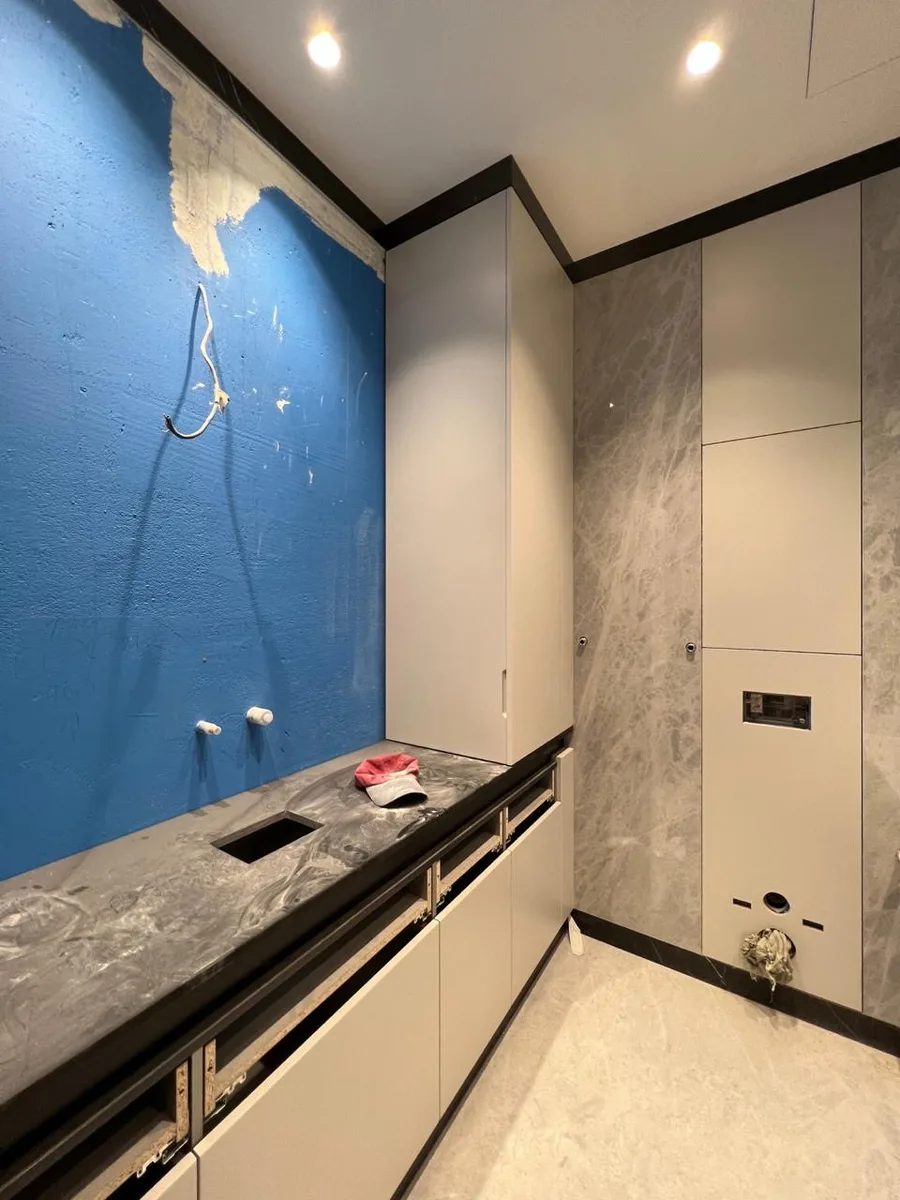
Source photo
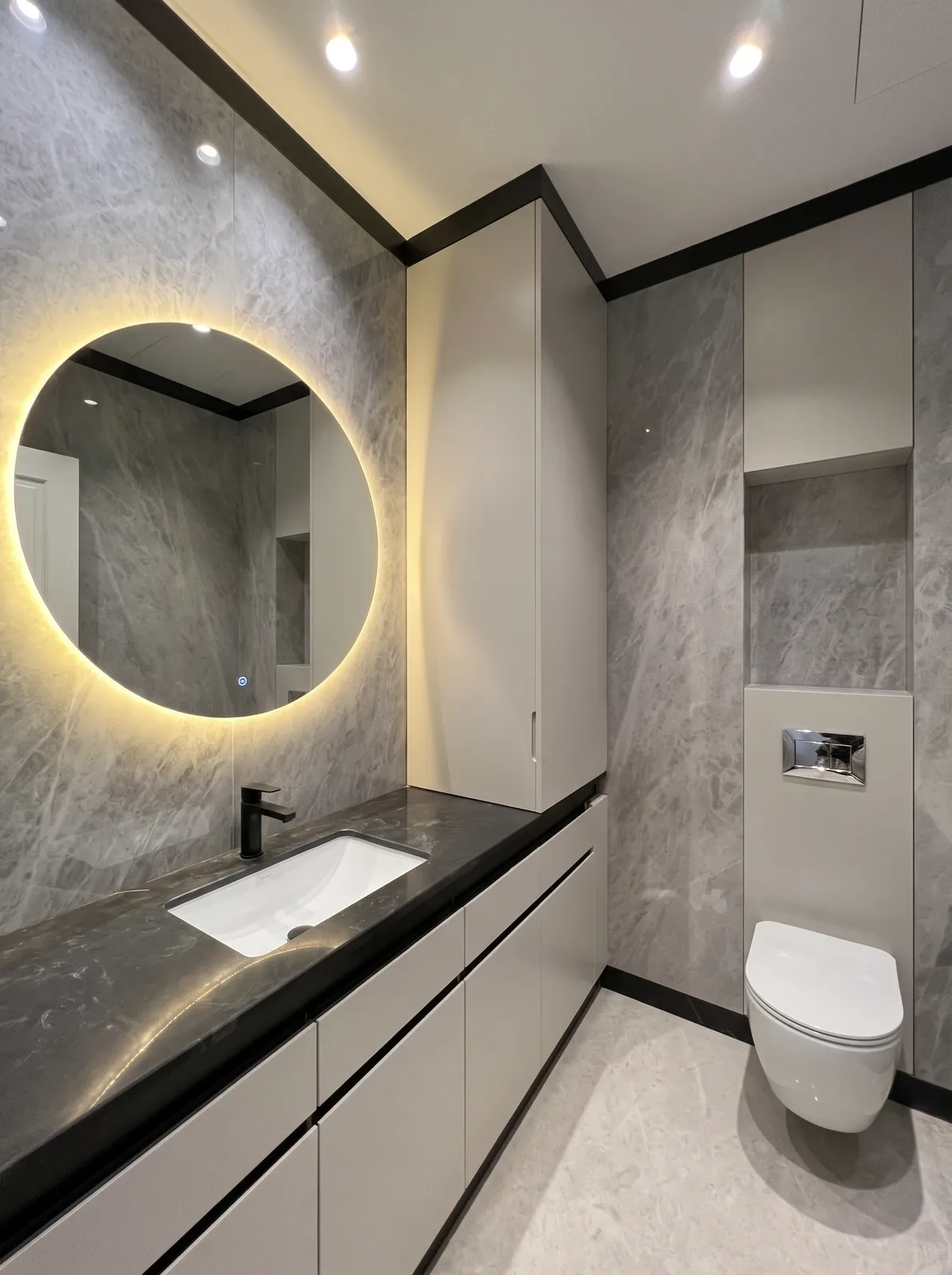
Nano Banana Pro
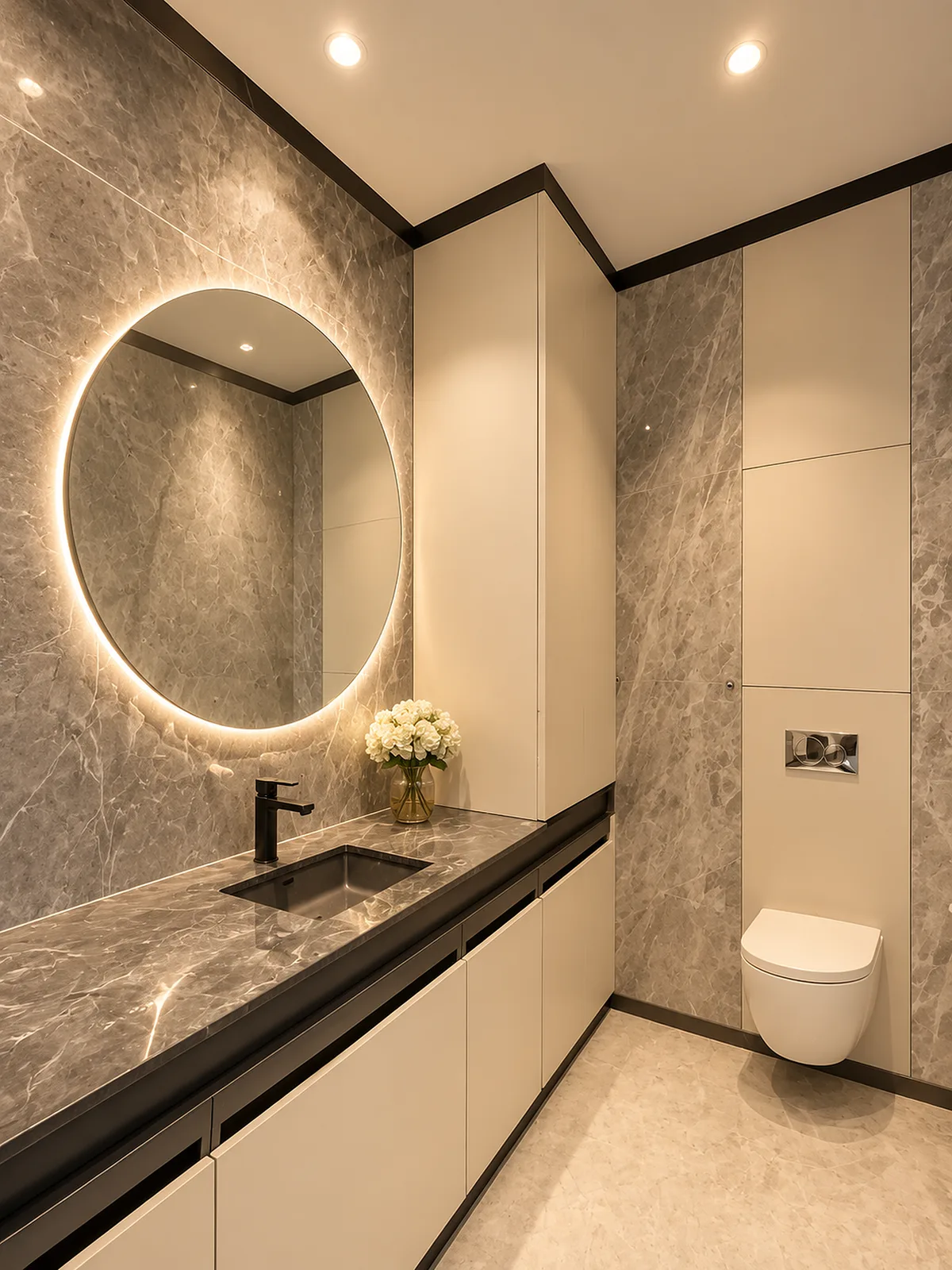
GPT Image 2.5
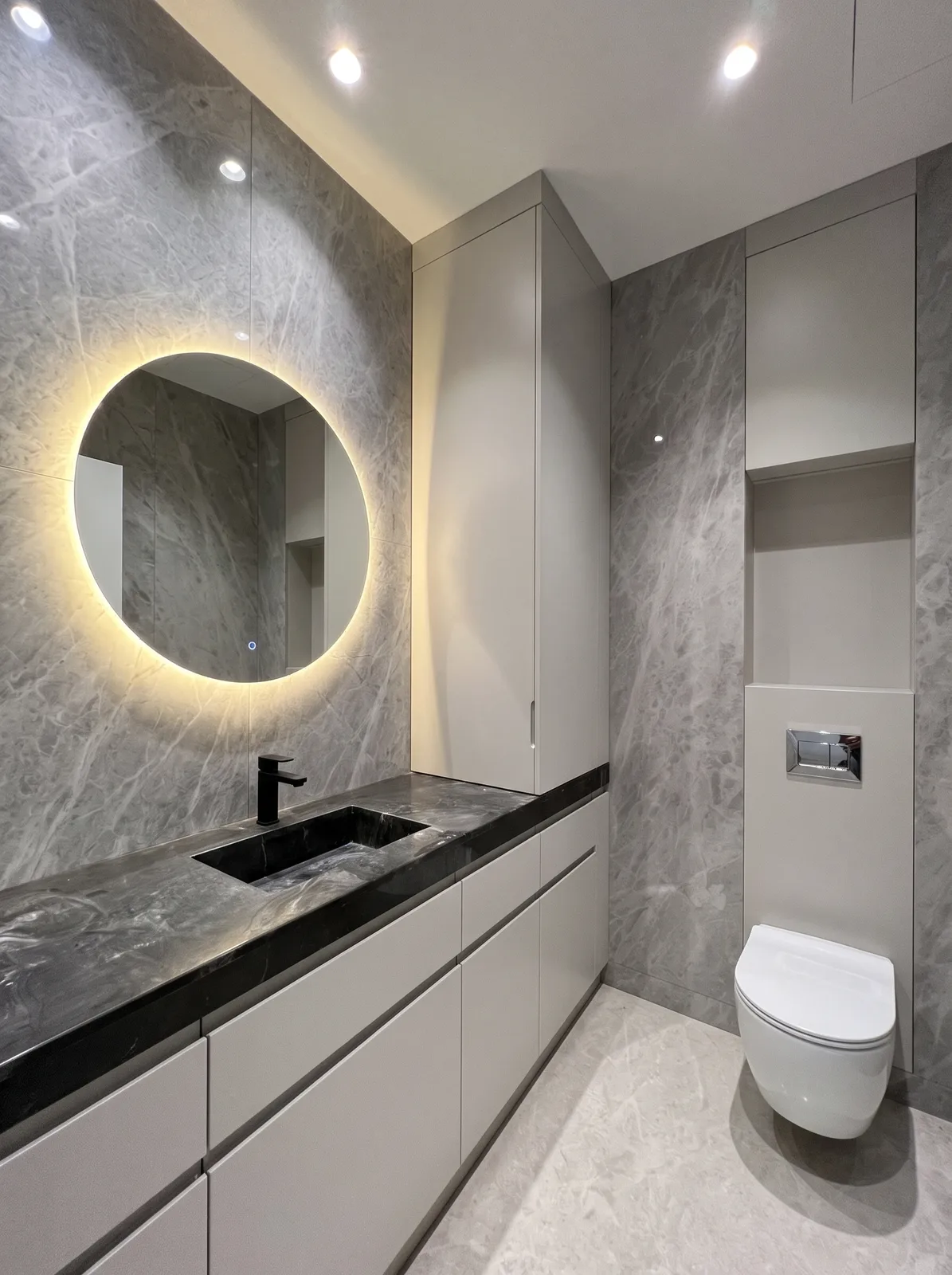
Nano Banana 2.1
- Nano Banana Pro – the most accurate: the tall cabinet, dark countertop, black ceiling trims and skirting are all in place. Sink, faucet, mirror and toilet are where we asked. It added a niche above the toilet on its own – that wasn't in the request.
- GPT Image 2.5 – the most editorial shot: warm evening light, gloss. It kept the geometry but changed the countertop to light marble and added a bouquet on its own.
- Nano Banana 2.1 – the fastest and cheapest. The room is recognizable, but the model removed the black ceiling trims, reworked the niche on the right and made the sink black to match the countertop.
Task 2. Collage → living room photo
The source is a collage: a room photo with cut-out pieces on top – a bouclé sofa, leather armchairs, a black table, a floor lamp and side tables. The goal is one believable photo.
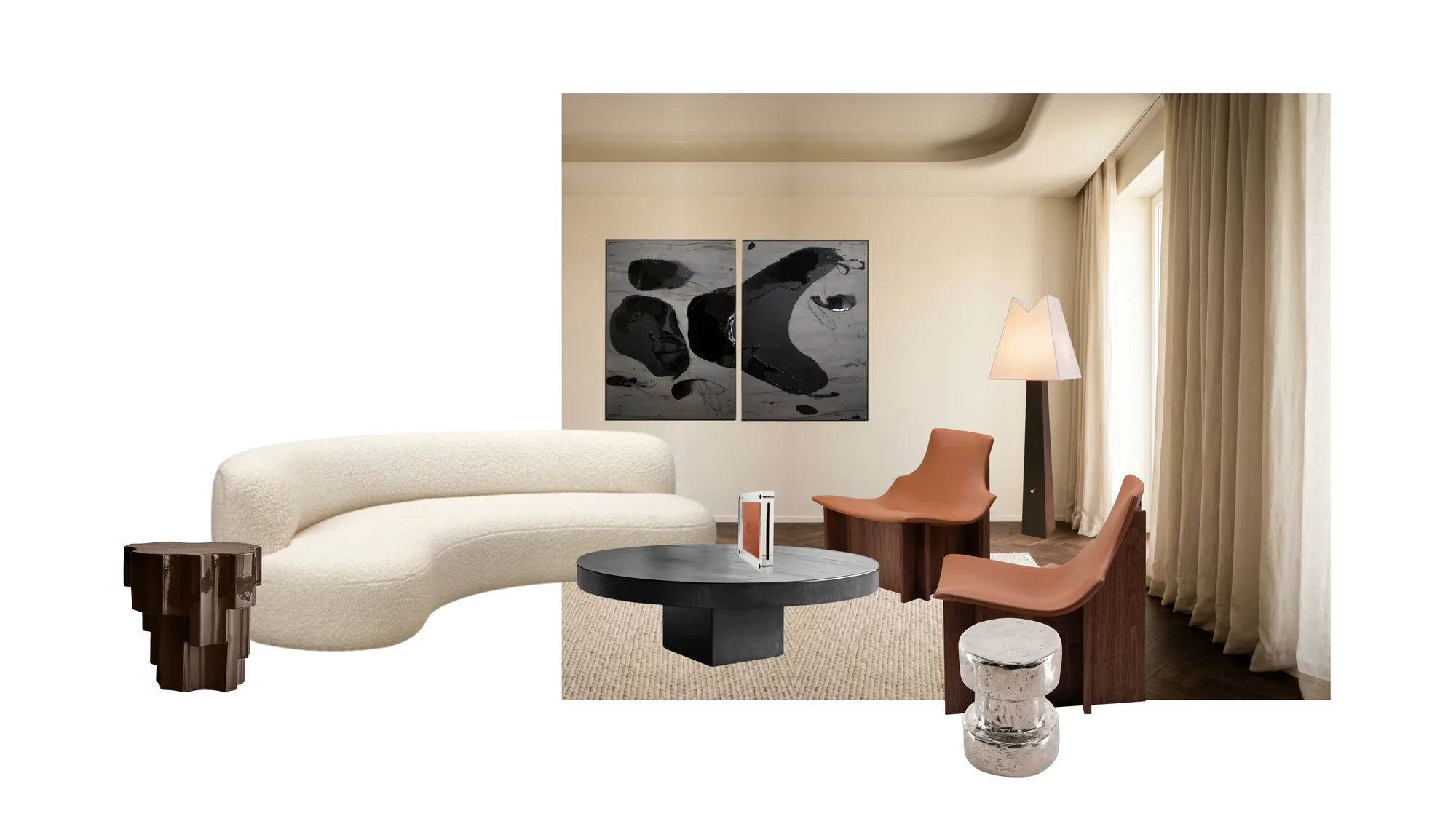
Collage
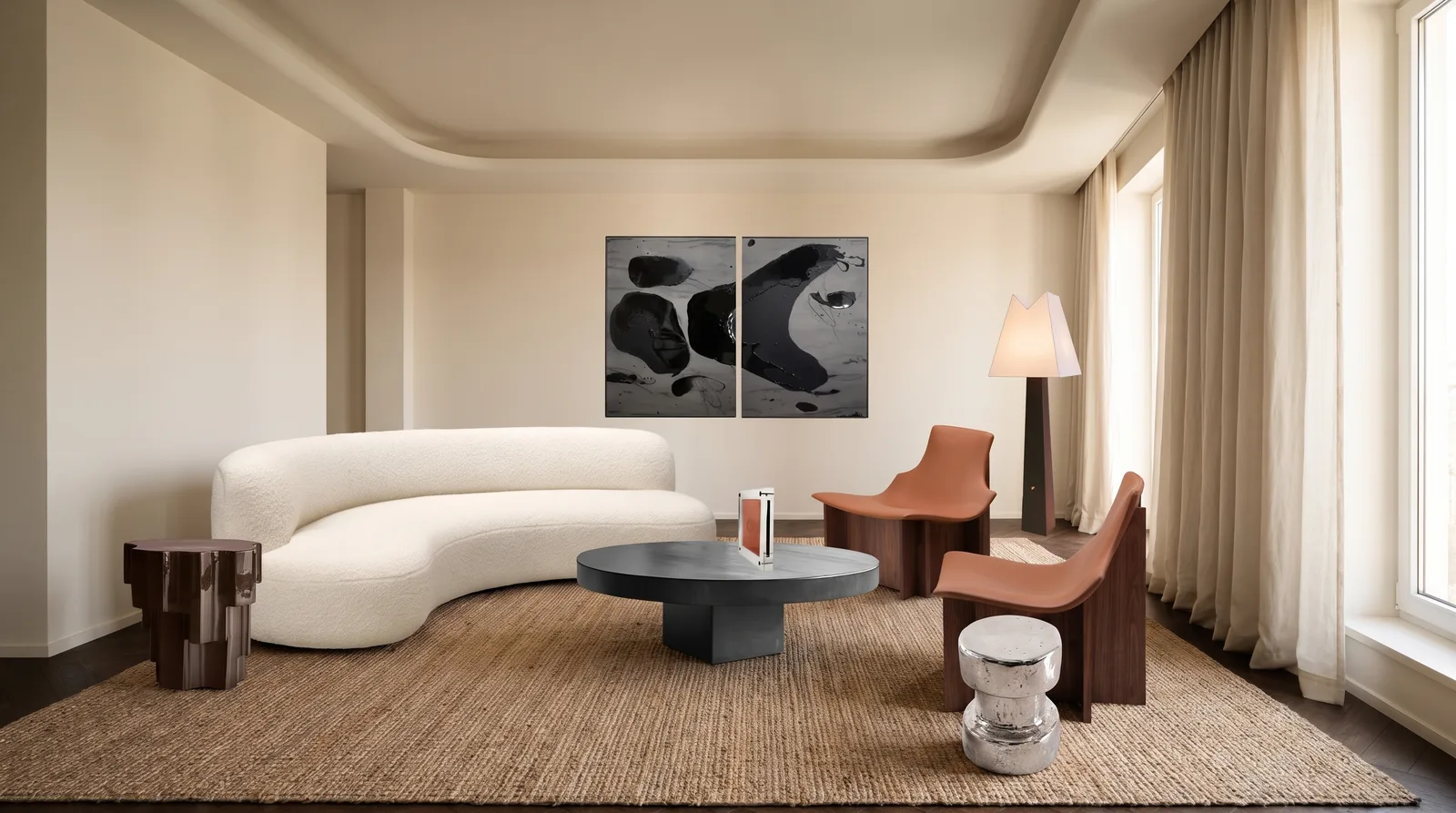
Nano Banana Pro
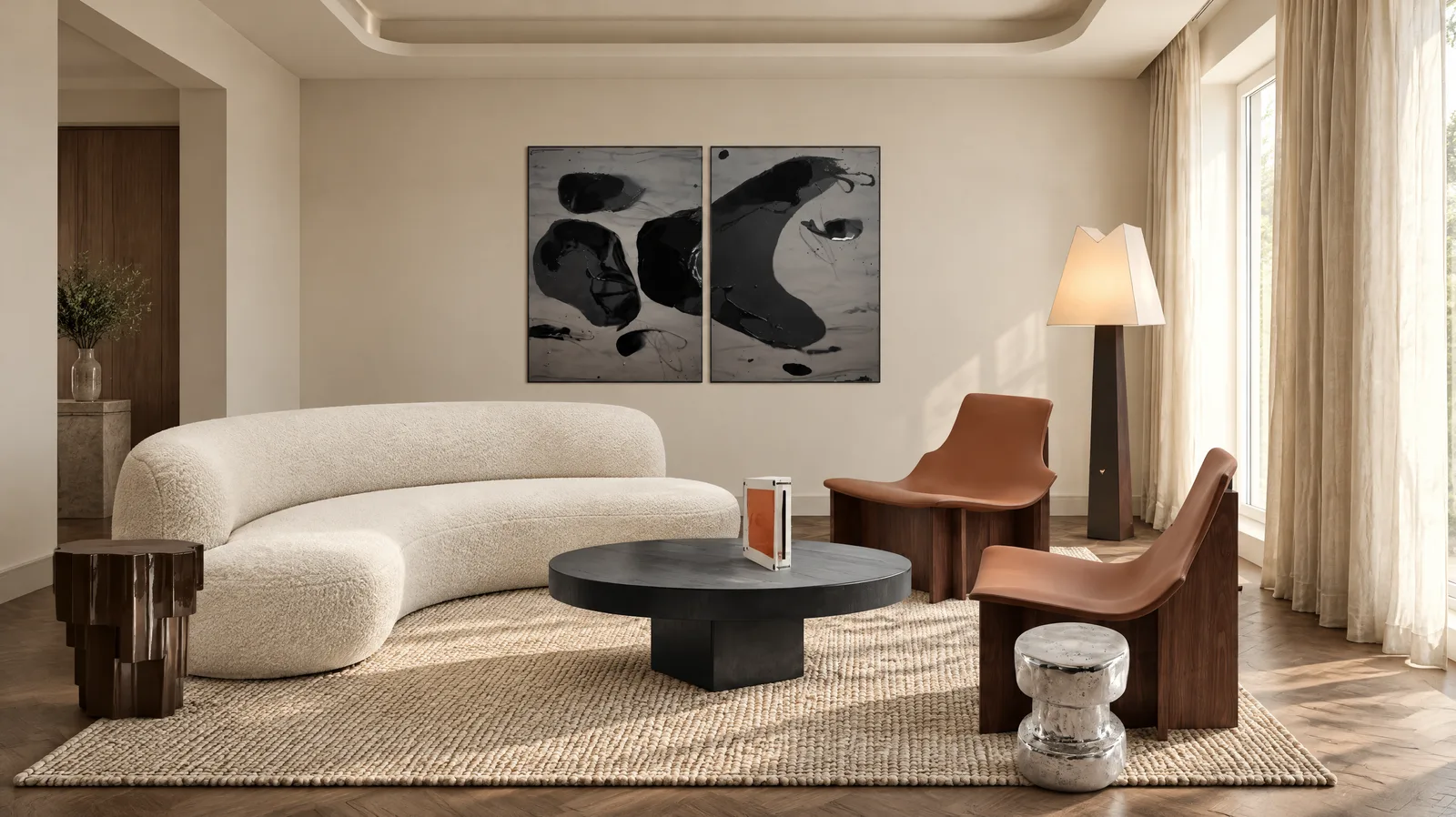
GPT Image 2.5
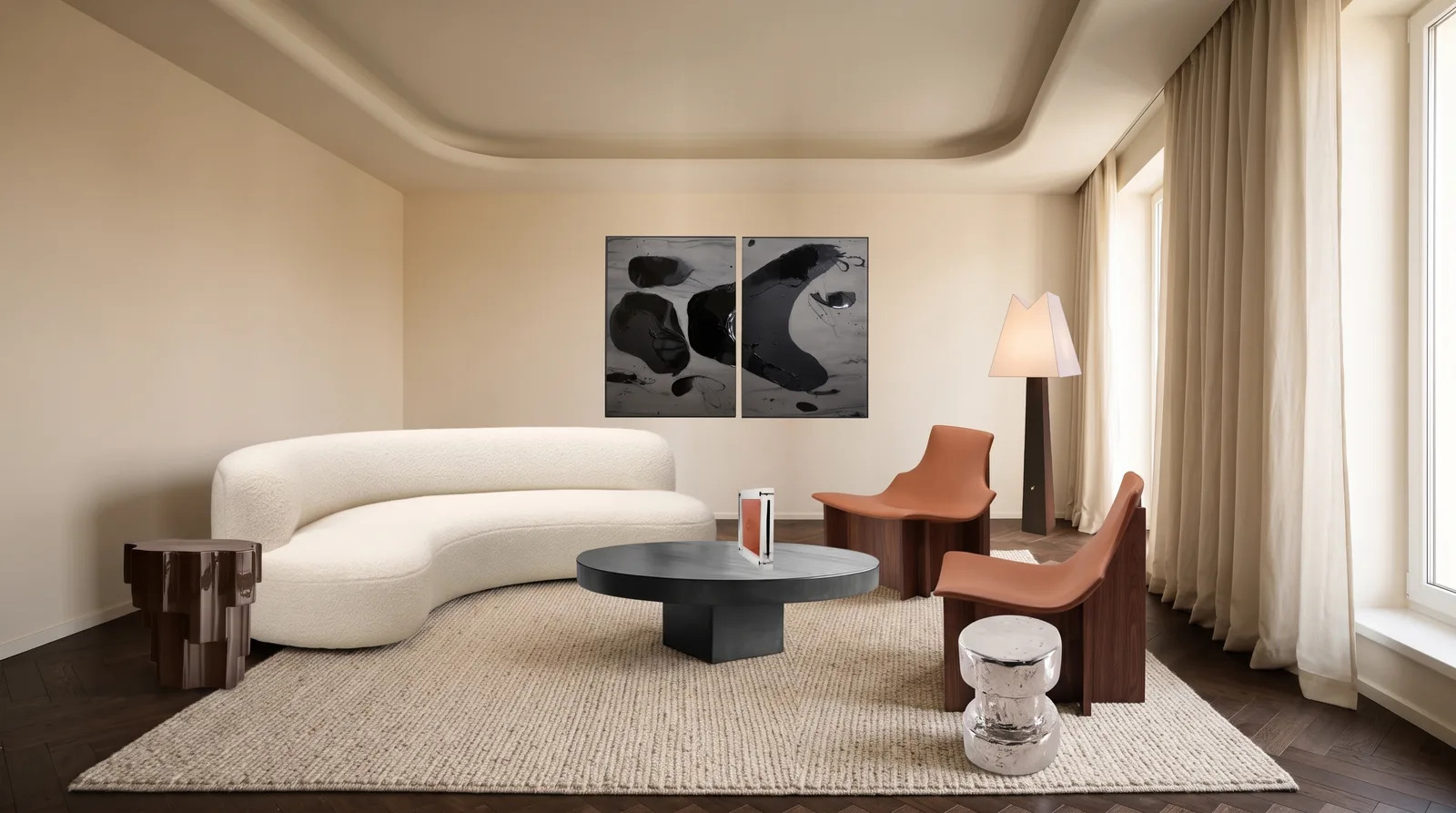
Nano Banana 2.1
- Nano Banana Pro – all the furniture is in place, the light is soft, the rug became jute. A wall pier appeared on the left. In the first run of the same request it also added sun patches and swapped the orange box on the table for a stack of books – variants differ noticeably.
- GPT Image 2.5 – the liveliest image: closer camera, sunlight from the window, the furniture sits naturally. But the model added a doorway, a console with a vase and changed the room proportions.
- Nano Banana 2.1 – the closest to the collage layout, but the light is flatter and shadows weaker – the shot looks slightly “assembled” rather than photographed.
Verdict: what to choose
| What matters | Model |
|---|---|
| Keep the source walls, furniture and materials | Nano Banana Pro |
| Mood, editorial light, a shot for social media | GPT Image 2.5 |
| Many variants, fast and affordable | Nano Banana 2.1 |
| Final 4K image for the client | Nano Banana Pro |
A practical workflow: ideas and drafts in Nano Banana 2.1, then redo the best one in Nano Banana Pro. If you want mood and don't mind the model adding a couple of items of its own, try GPT Image 2.5. All models and prices.
Honestly about failures
On the test day GPT Image 2.5 and Nano Banana Pro replied “provider temporarily unavailable” several times – a failure on the model's side, not the request's. Nano Banana 2.1 answered on the first try both times. On the site such failures are handled automatically: the generation is resent, and if it still fails, the credits are returned and you can switch to another model in one click.
How to turn a collage into a photo step by step – in the article “How to turn an interior collage into a photo”. More examples on the AI room design page.
FAQ
Which AI model is best for interior design?
There is no single best one. In our test Nano Banana Pro kept the original room most carefully, GPT Image 2.5 produced the most editorial look but added decor on its own, and Nano Banana 2.1 was the fastest and most affordable and kept the collage composition. Choose by task: accuracy, mood or many variants.
Why does the same model produce a different image every time?
That's how image models work: each generation is a new attempt. Light, angle and small decor change from run to run. That's why it's worth making 2–3 variants and picking the best one.
What happens if the model doesn't respond?
The site retries automatically when the model is overloaded. If the generation still fails, the credits go back to your balance, and the card offers “Try again” and an alternative model.
Can I change the model of a ready-made prompt?
Yes. Each prompt has a default model, but you can pick any other before sending – the price follows that model.