Case Study: A Paris-Style Living Room from Collage to Final Render
Pieces on a white background → a watercolor sketch → photos in two formats → evening light → a close-up. What the AI kept, what it built on its own and what the new steps cost.
· 5 min read · CreateViz AI
A designer picked furniture for a living room: a curved bouclé sofa, leather armchairs on wooden bases, a round black table, a sculptural floor lamp, a silver side table and a painting. There's no room in the collage – just pieces on a white background. Below is the whole path to the final shot: a sketch, photos in two formats, evening light and a close-up.
Step 1. A collage on a white background
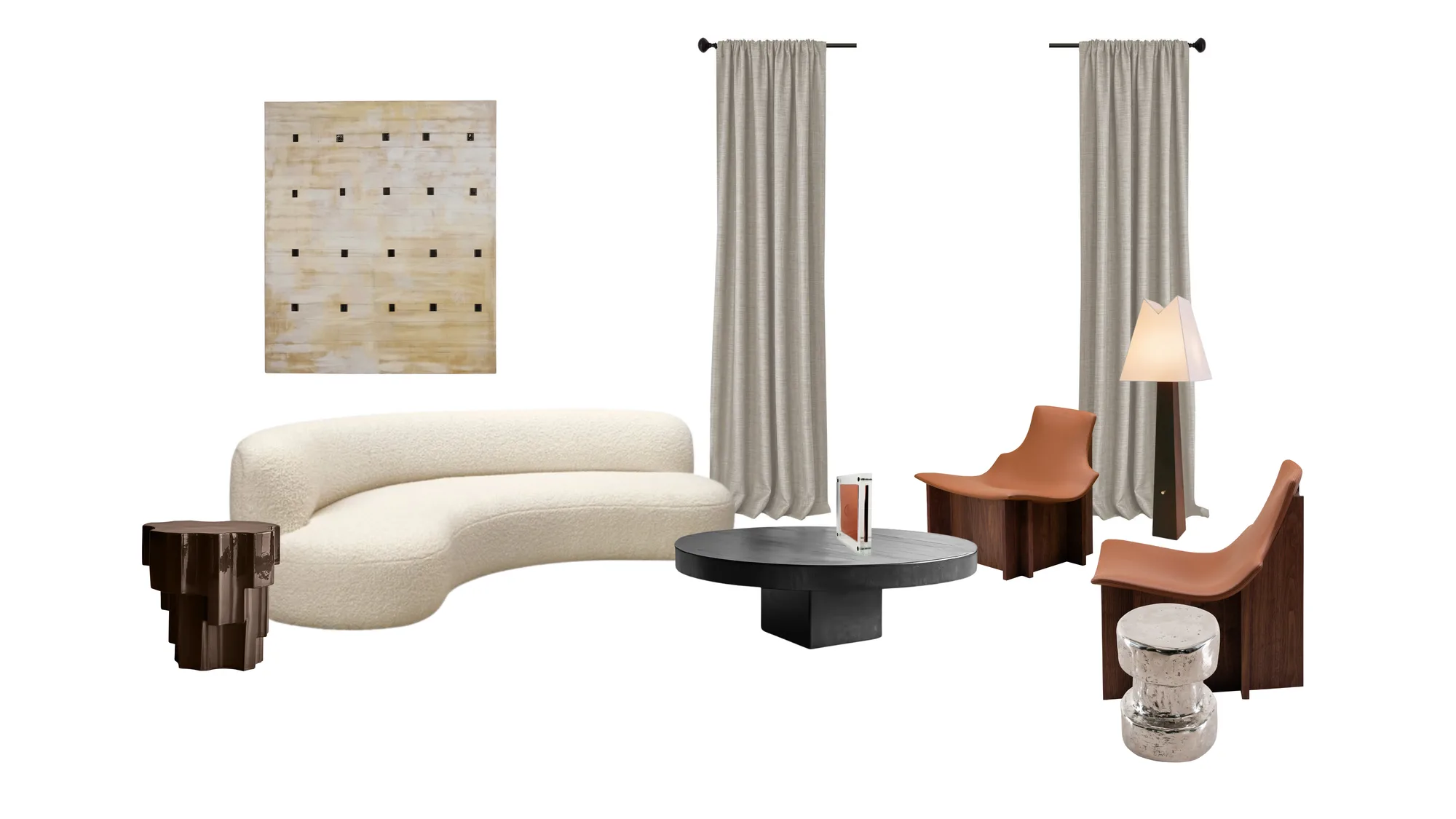
Pieces on a white background
The pieces were assembled in the collage editor: the background was removed from every photo, and the pieces were arranged roughly as they'll stand in the room – sofa on the left, armchairs on the right, table in the middle. Even without a room, the arrangement tells the AI the composition.
Step 2. A watercolor sketch
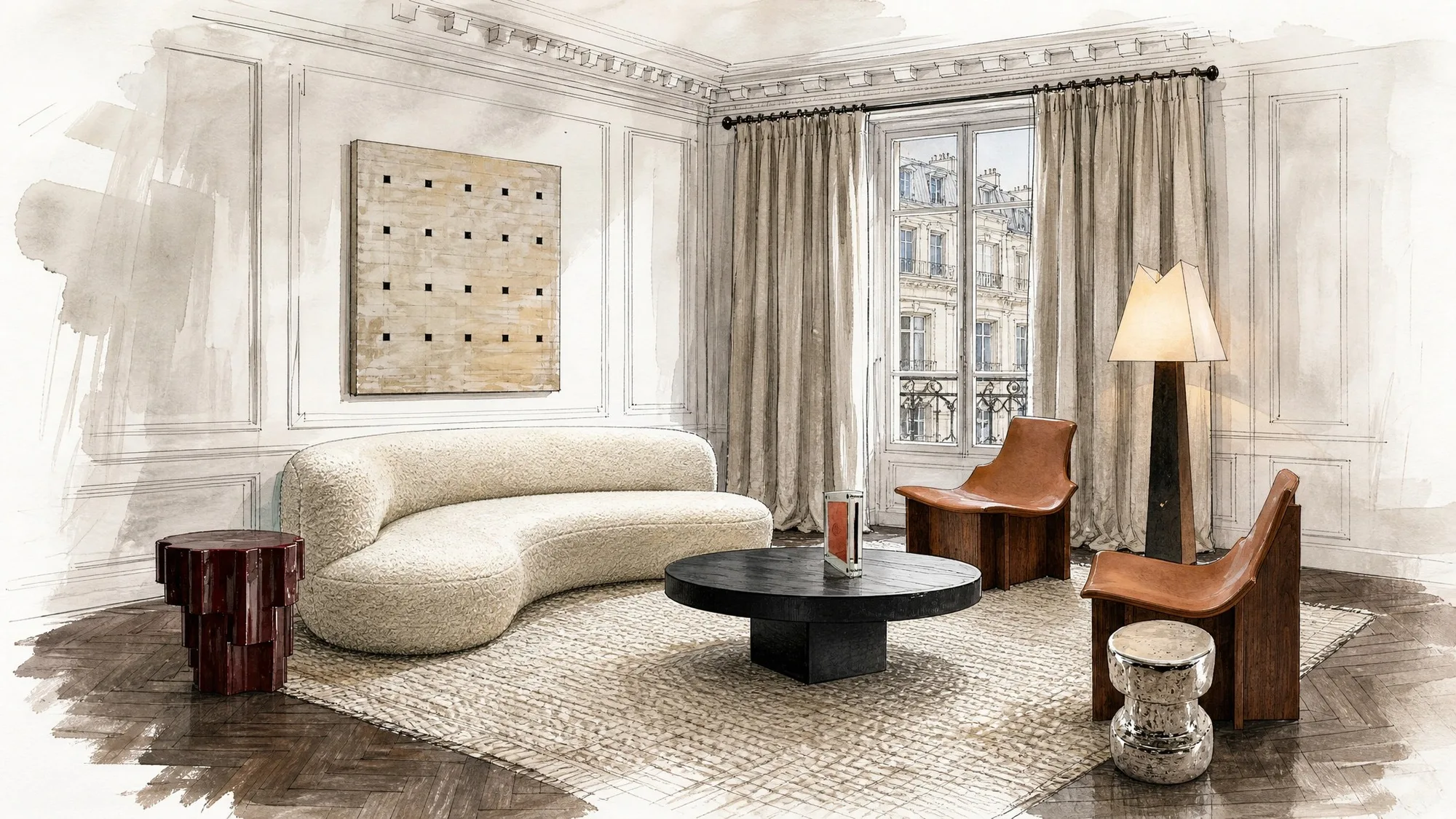
Watercolor sketch
The sketch came with a room: tall windows overlooking Parisian buildings, mouldings, herringbone parquet and a rug. None of that was in the collage – the AI built the space. For a first client meeting a sketch is handier than a photo: it shows the mood without promising exact shades.
Steps 3–4. Photos in two formats
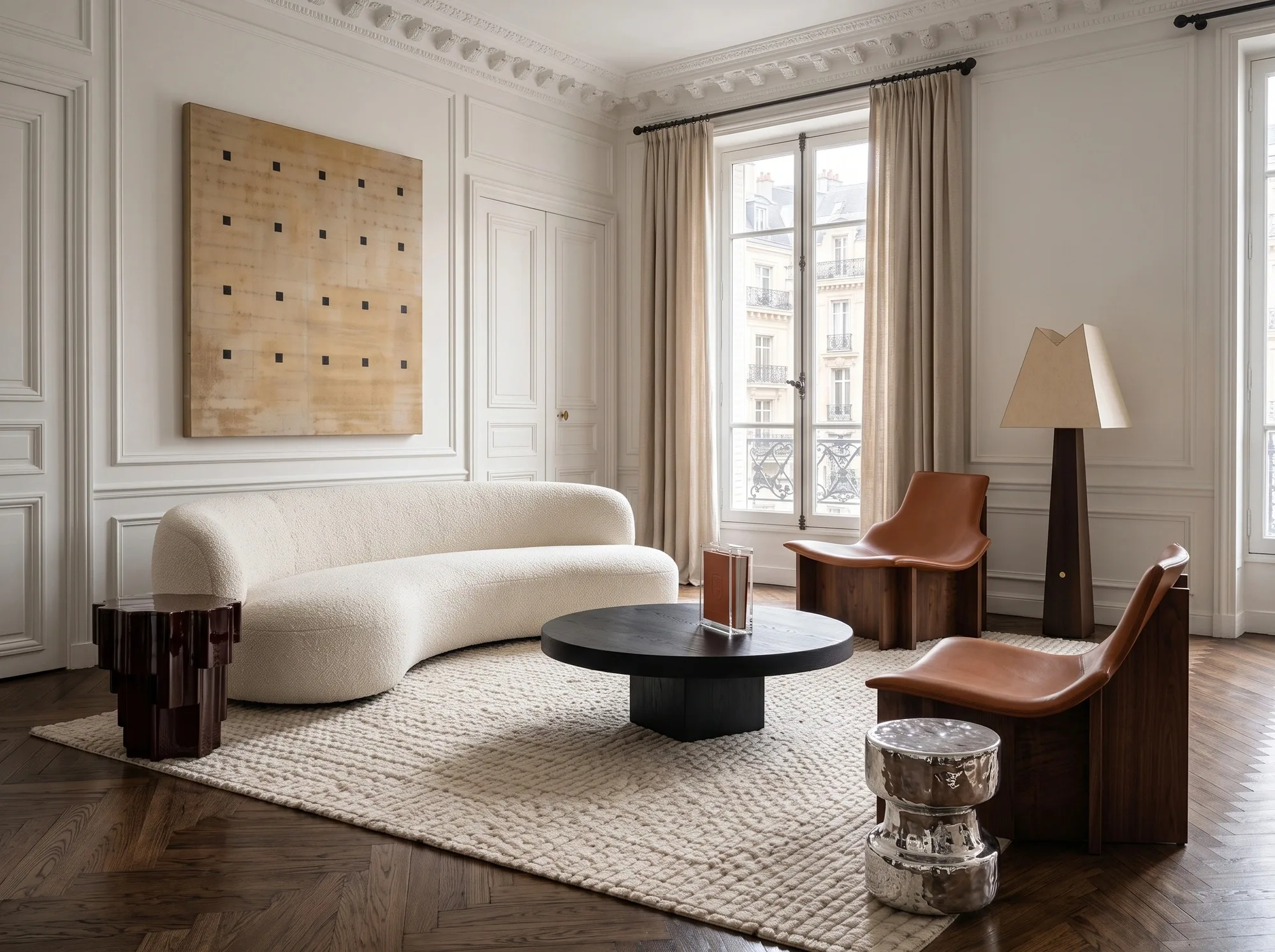
Landscape shot
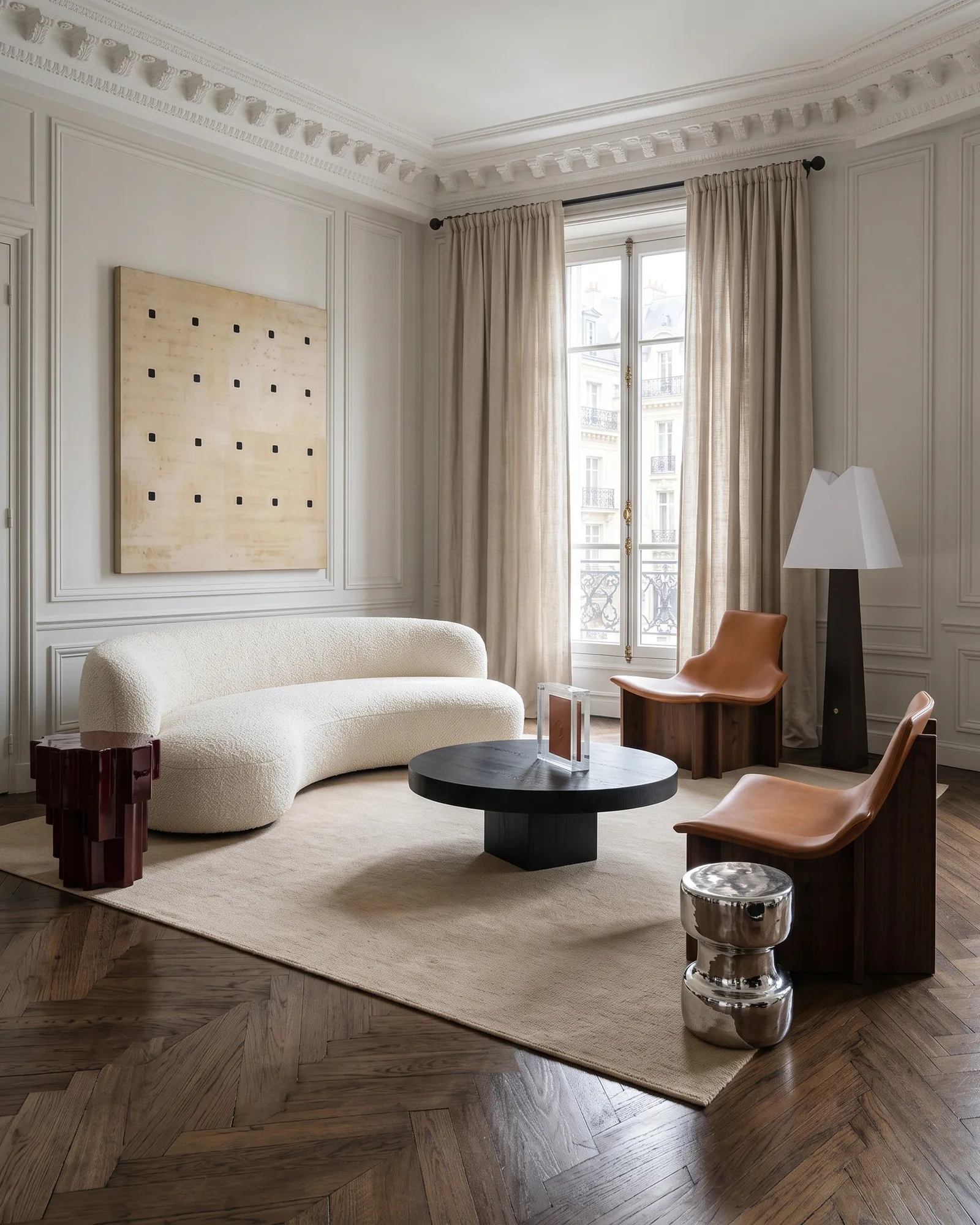
Portrait shot
- Every piece from the collage is in place and recognizable: the sofa's curve, the stepped side table, the armchair shape, the lamp shade, the hammered silver table, the painting with squares.
- The portrait shot isn't a crop of the landscape one but a new generation in a 4:5 format: handy for social media and portfolios.
- Honestly: small things change between shots – the lamp shade shape, the doors, the number of windows. Fine for a presentation, but shots of one series shouldn't be passed off as photos of one room from different points.
Step 5. Evening light
We sent the landscape photo back to the AI: dusk outside, the floor lamp on, candles on the table, warm 2700 K light, don't change the furniture or the angle.
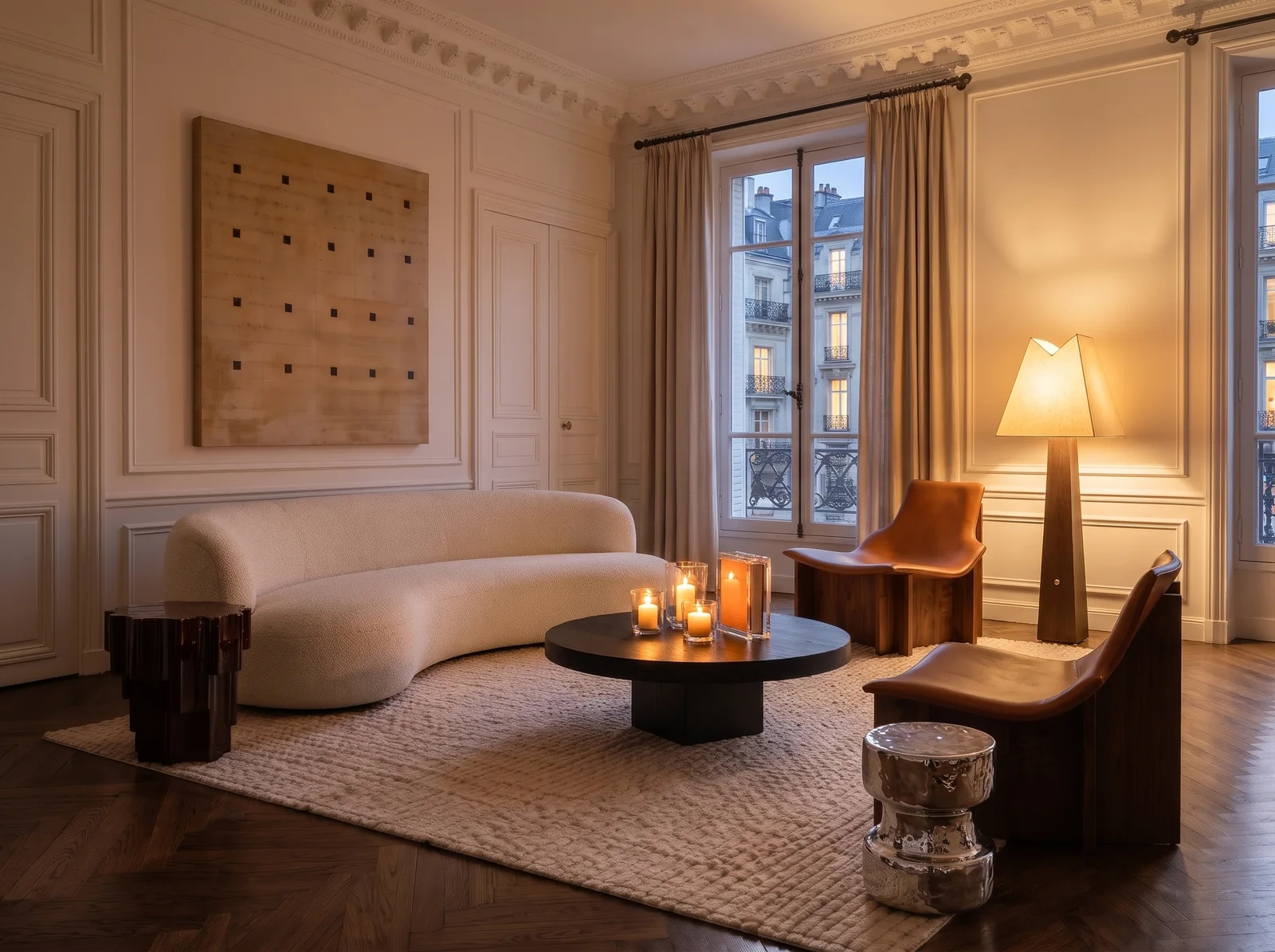
Evening, Nano Banana Pro, 48 s
The furniture, painting and mouldings are the same, and lights came on in the windows across the street. The camera moved slightly closer than in the source photo – the request didn't ask for that. The first attempt failed: the model replied “provider temporarily unavailable”; a retry right after it worked. On the site such a retry happens automatically, and the failure isn't charged.
Step 6. A close-up
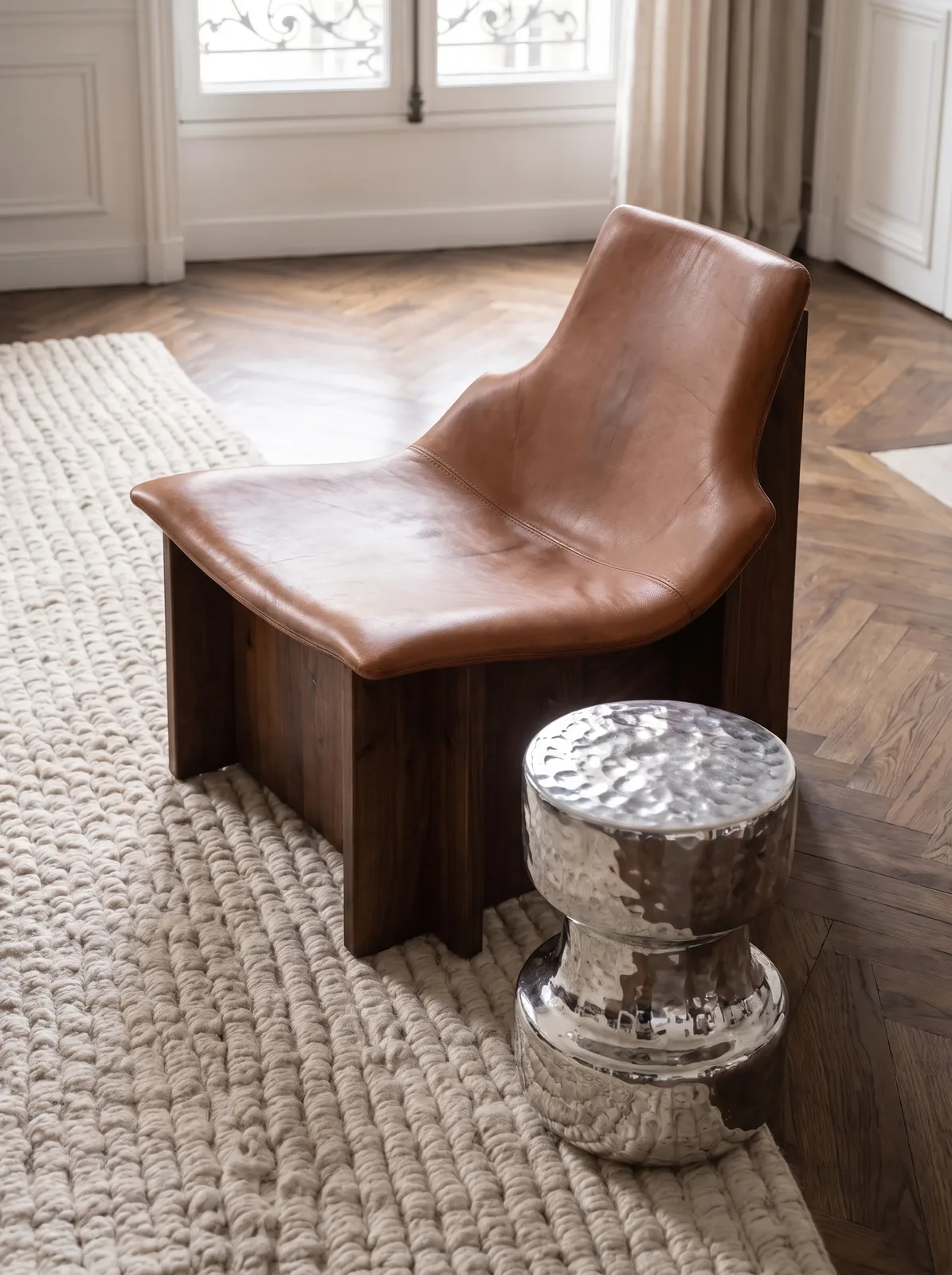
Close-up, Nano Banana Pro, 99 s
A close-up from the same photo: the armchair, the silver side table and the edge of the rug, a 50 mm lens. You can see the texture of leather, wood and wool – such shots work well in a presentation next to the wide view and on social media.
Summary
| Step | Result |
|---|---|
| 1. Collage | A selection and a rough layout |
| 2. Sketch | A concept for the first meeting |
| 3–4. Photos | The final image, landscape and portrait |
| 5. Evening | A second mood of the same room |
| 6. Close-up | Materials up close |
Steps 5 and 6 – 10 credits ($0.37) per image (Nano Banana Pro, 2K, Start plan).
How to build a collage and turn it into a photo step by step – in the article “How to turn an interior collage into a photo”. Other projects are in Examples.
FAQ
Can I make an interior photo from a collage on a white background?
Yes. You can lay out the pieces on a white background without a room – the AI builds the space from the description: mouldings, windows, parquet. The more detailed the room description, the less the AI invents on its own.
Why make a sketch before the photo?
A watercolor sketch is a gentle way to show the idea to a client: it doesn't promise exact materials and reads as a concept. Once the sketch is approved, you make the photorealistic image.
Will the AI keep my pieces from the collage?
Recognizably – yes: the sofa shape, armchairs, painting, floor lamp and tables are all in place in this case. But they're look-alikes, not millimeter copies, and things that weren't in the collage (rug, parquet, mouldings) the AI adds on its own.