From a Phone Photo to a Portfolio Shot with AI
Three finished projects shot on a phone: a wrapped mattress, a bare bed, a backlit living room. How AI finishes the shot without changing the interior, and what to check before publishing.
· 5 min read · CreateViz AI
The project is handed over, but the photos show a wrapped mattress, dark corners and tilted verticals. Hiring a photographer for every project is expensive, and phone shots look weak in a portfolio. AI can finish the shot without touching the interior itself. Here are three real projects.
1. A bedroom with a wrapped mattress
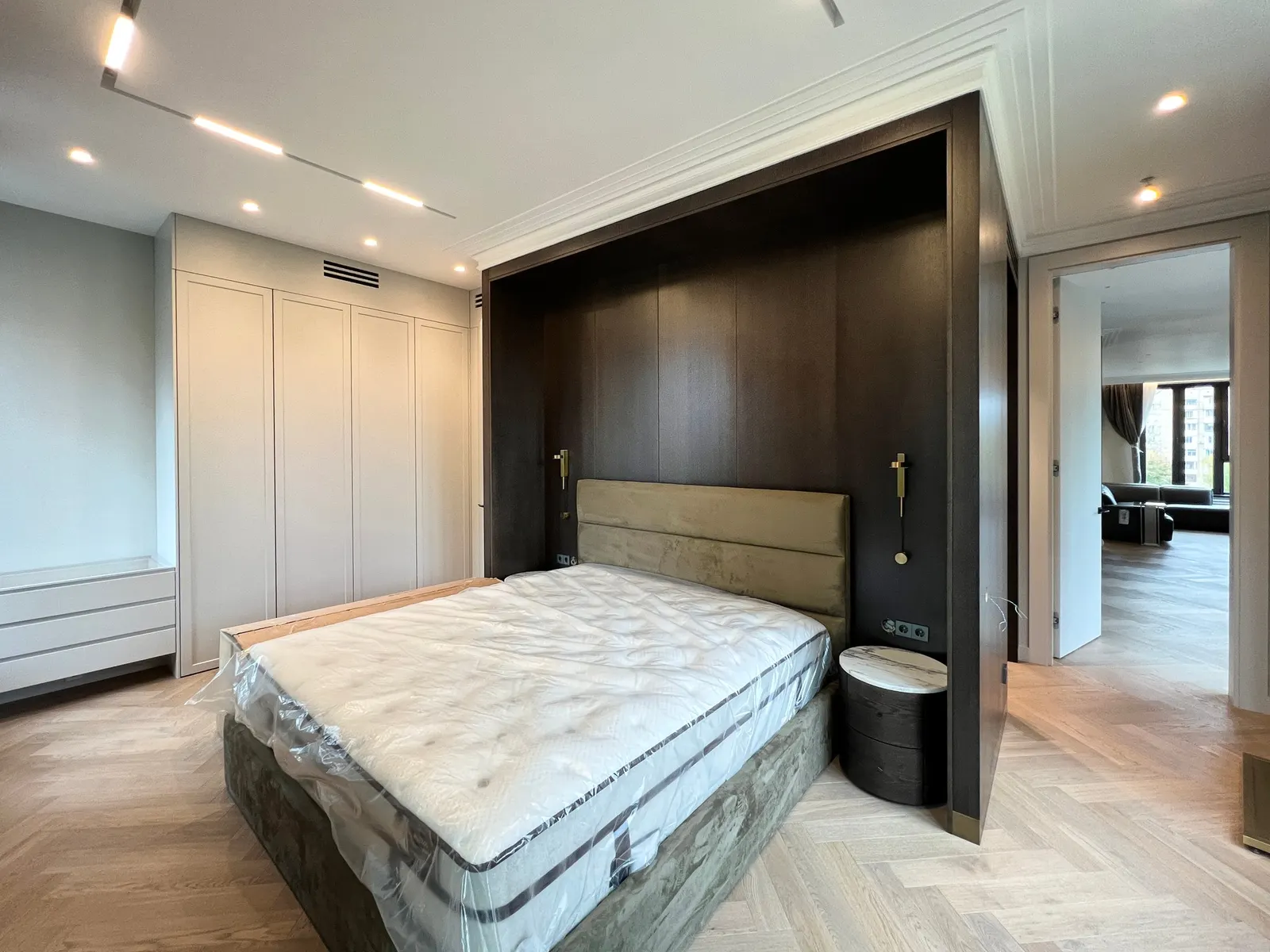
Phone photo
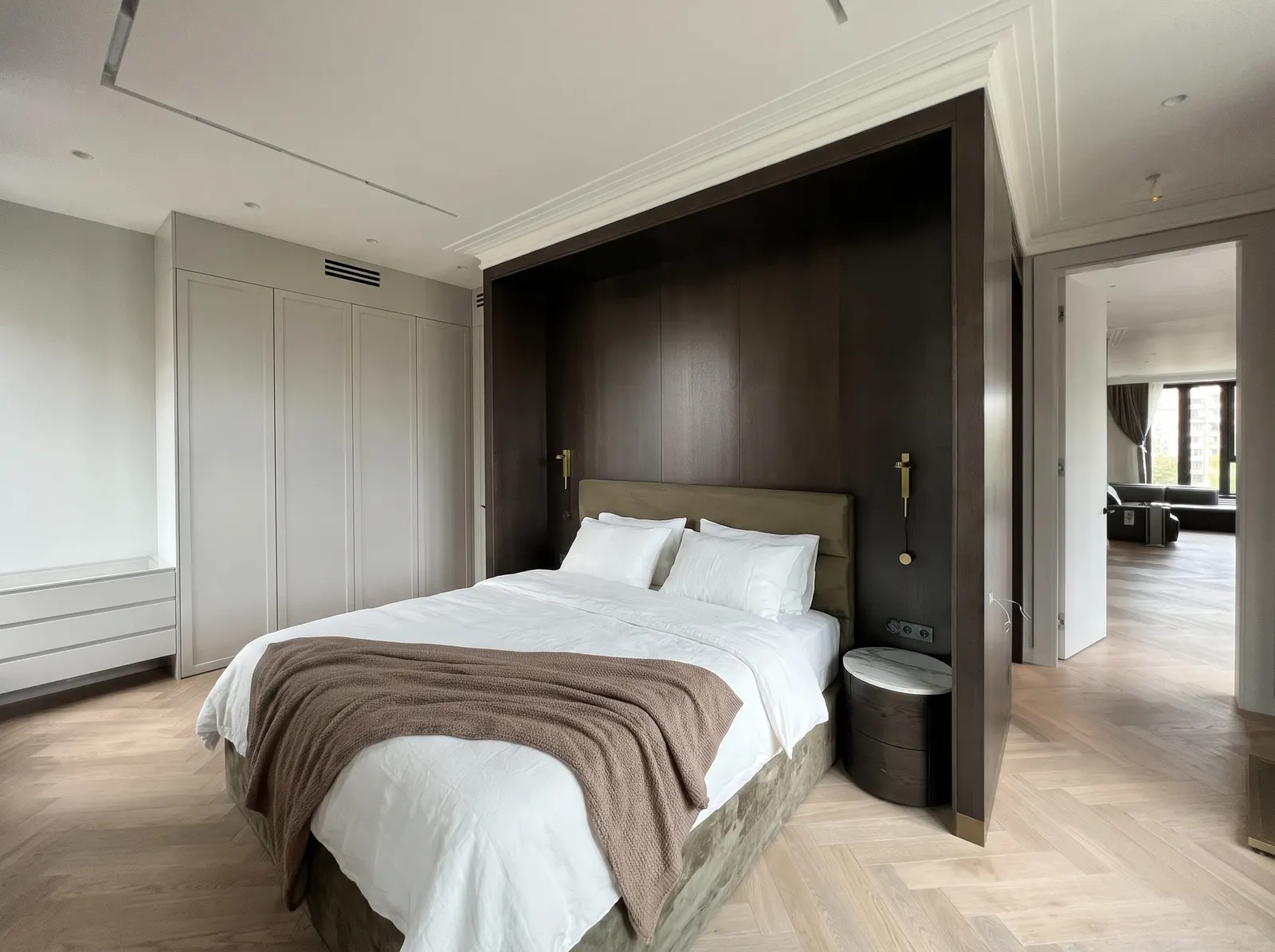
Portfolio shot, Nano Banana Pro
We asked to remove the plastic, make the bed with white linen and a mocha throw and straighten the verticals. The wardrobes, dark wood portal, sconces, nightstand, parquet and view into the next room stayed. A deviation: the AI removed the linear lights and some of the ceiling spotlights – worth noticing before publishing and redoing if it matters.
2. A bedroom with a velvet headboard
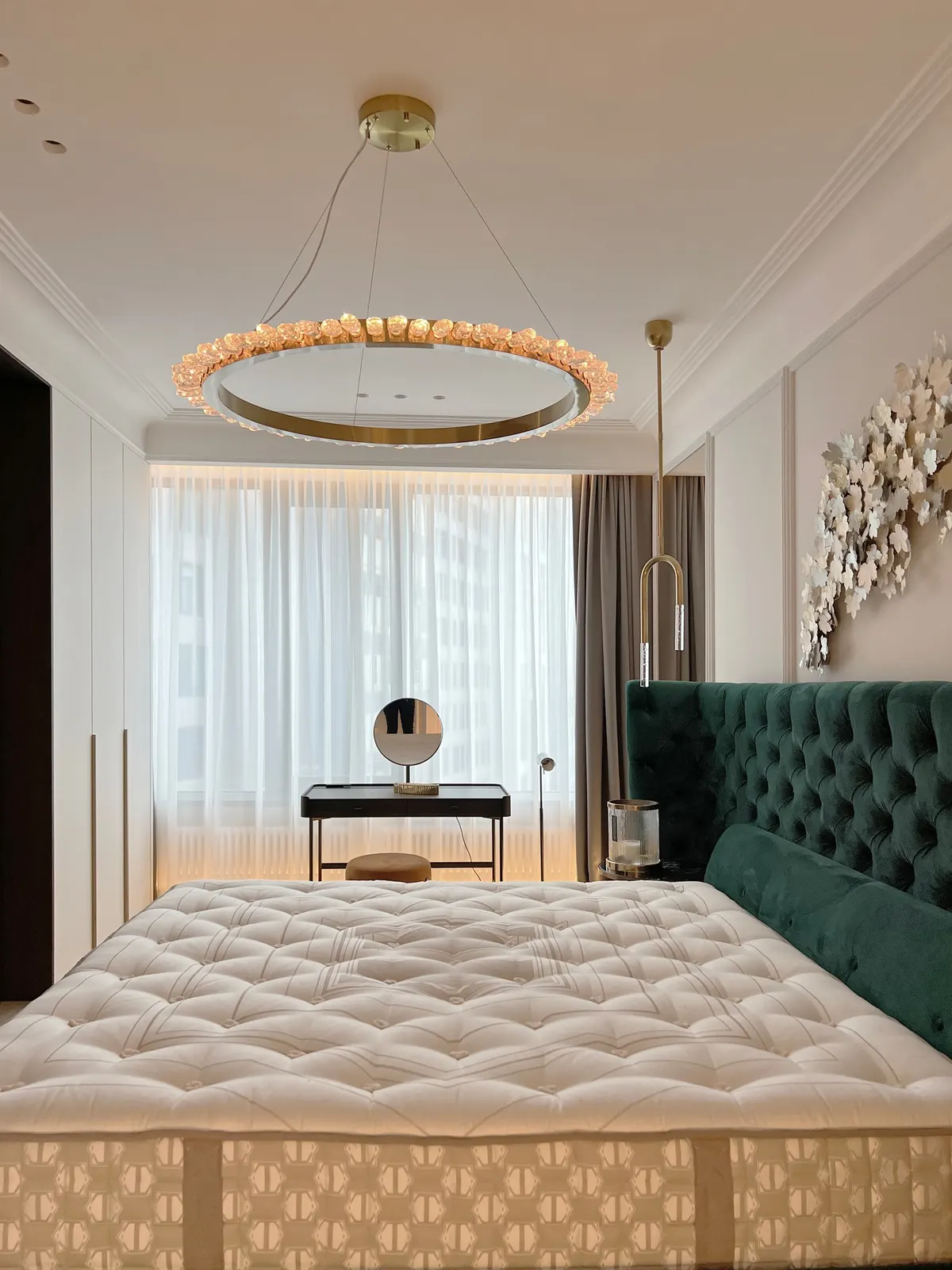
Phone photo
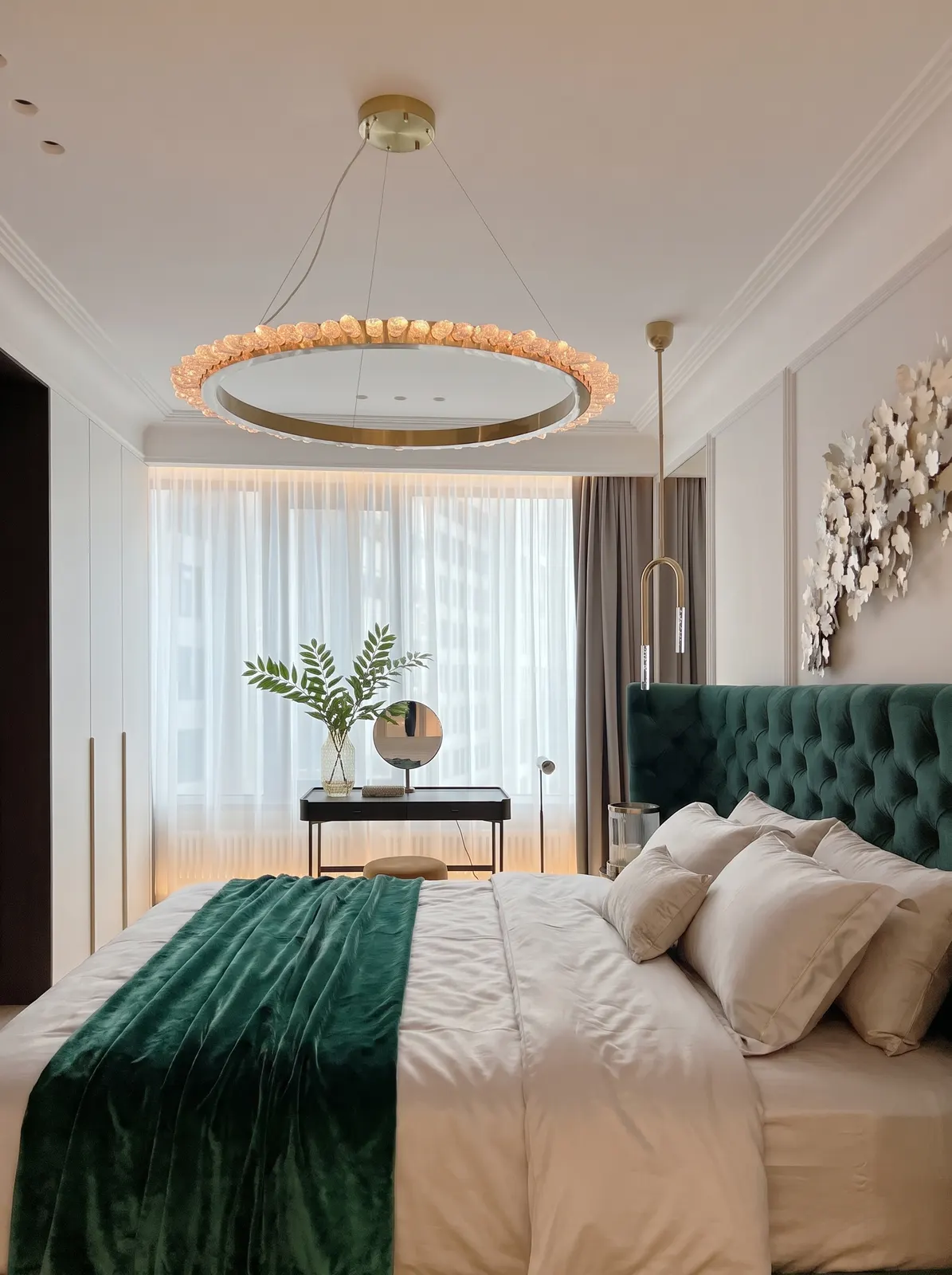
Portfolio shot, Nano Banana Pro
A throw matching the headboard and a vase with a branch on the dressing table – all as requested. The chandelier, wall panel, curtains and table stayed as on site. The bed looks lived-in and the shot looks finished.
3. A dim living room
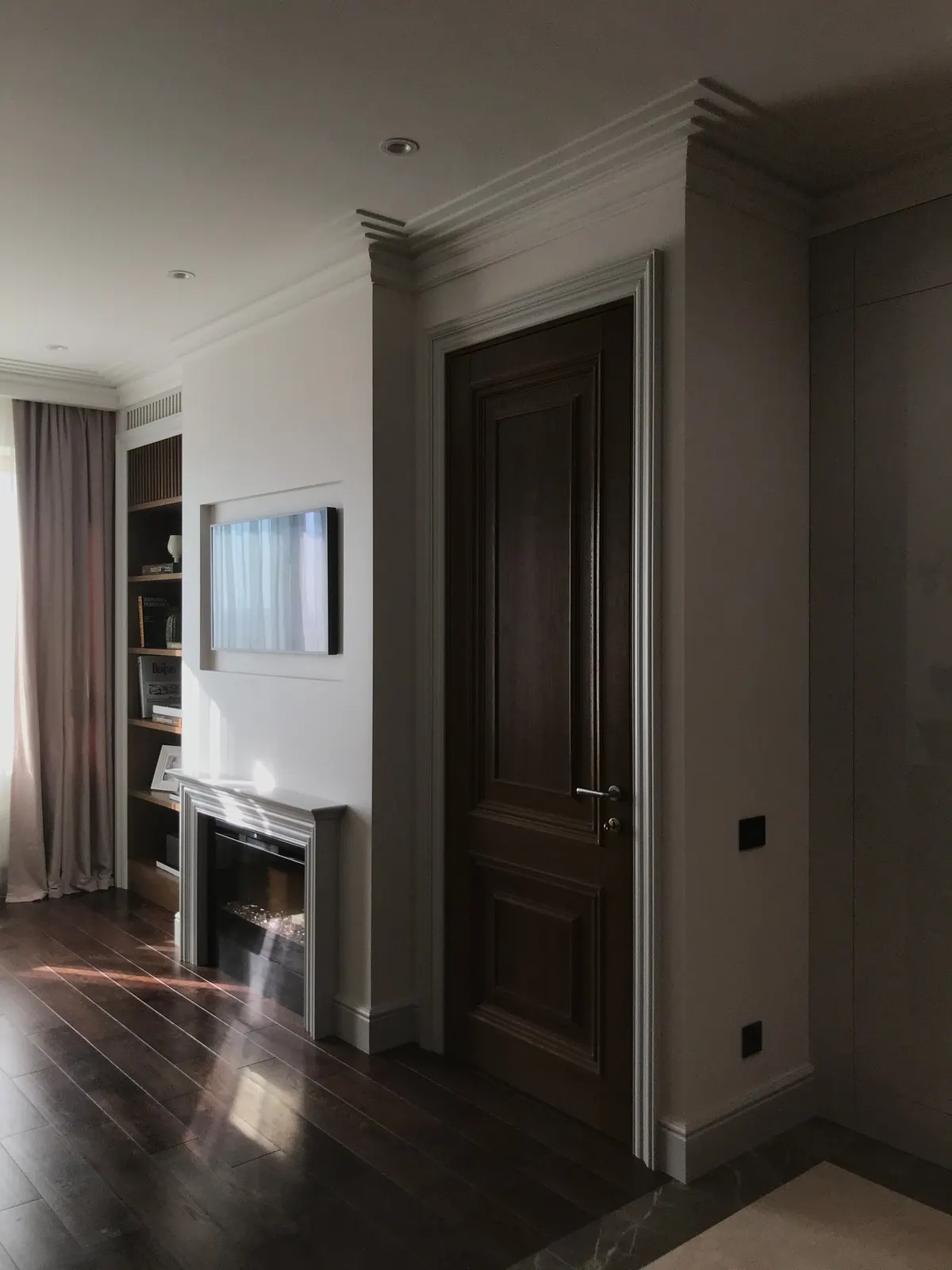
Phone photo
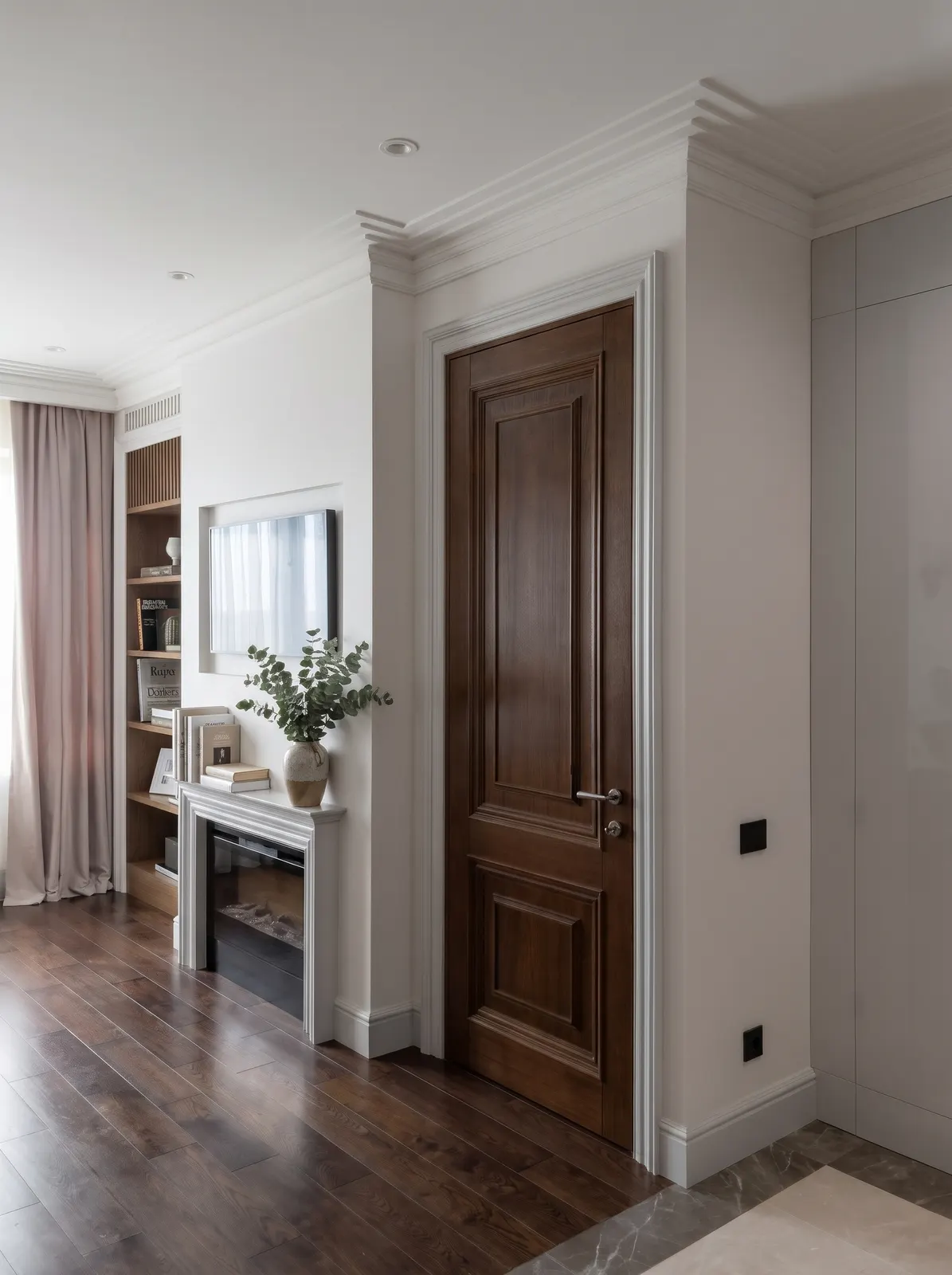
Portfolio shot, Nano Banana Pro
A backlit shot: dark walls and glare on the floor. The AI evened out the light and white balance, removed the glare, straightened the verticals and put a vase and books on the fireplace. The door, fireplace, shelves and mouldings are the same; the door color got slightly warmer.
Portfolio rules
- List what to keep: “don't change the interior, finishes, furniture, lights or camera angle”.
- Ask only for what a photographer and stylist would do: make the bed, clear debris, light, verticals, a little decor.
- Check lights, sockets and small finishes against the source – the AI changes them unnoticed.
- Download in 4K if the shot goes large on a website or into print.
More on working from a room photo – in the article “Redesign a room from a photo” and on the AI room design page.
FAQ
Is it honest to show an AI-edited photo in a portfolio?
If the interior, finishes and furniture stay real and the AI just made the bed, removed debris and evened out the light, it's the same job a photographer does with retouching. Adding things that aren't on site doesn't belong in a portfolio.
Which photo works?
An ordinary phone photo: the whole room in frame, daylight, no strong fisheye. The straighter the source, the less the AI has to invent.