How to Render a SketchUp Model with AI (No V-Ray)
Exporting a view from SketchUp, a request with materials and light, and the results of two AI models on a real wardrobe model. Where the AI is accurate, where it invents and how it compares with V-Ray.
· 6 min read · CreateViz AI
The clay model in SketchUp is ready, but a client-ready image still needs materials, lighting and hours of rendering. An AI model makes a photorealistic view in a minute – from a screen export and a description of the materials. Here it is on a real wardrobe model: where the AI is accurate and where it invents.
Step 1. Export the view from SketchUp
- Set the camera. For interiors Camera → Two-Point Perspective is handy: verticals stay vertical.
- Turn on Shadows – that helps the AI understand volume and where the light comes from.
- A simple style: thin lines, no sketchy effects. If the model already has materials, keep them – they hint at the colors.
- File → Export → 2D Graphic, PNG or JPG, at least 2000 px wide.
Step 2. The request: materials, light, restrictions
The key is to say that the geometry must not change and to list materials surface by surface. We sent the clay view of a wardrobe with this text:
Step 3. The result: two models
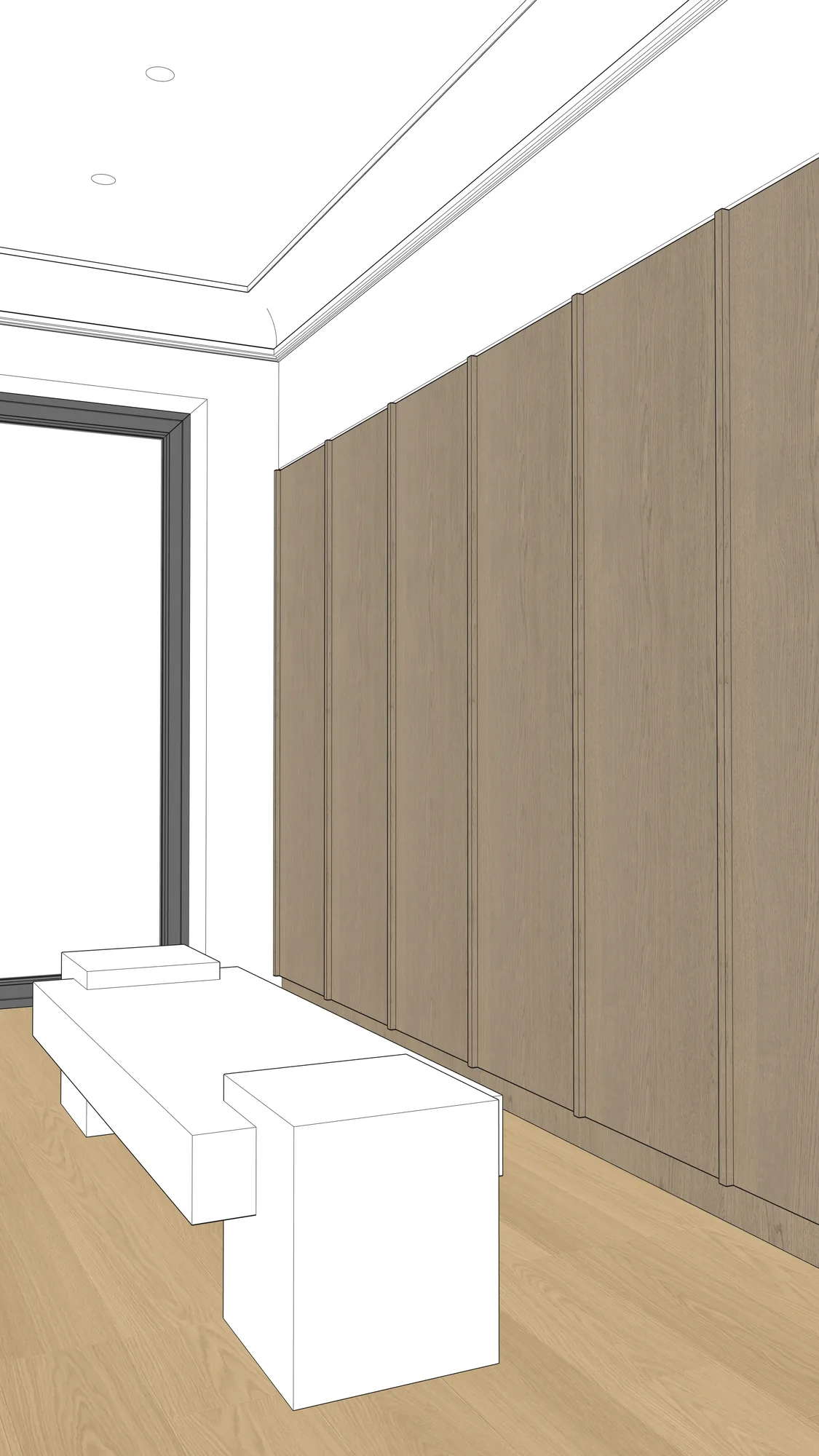
3D model view
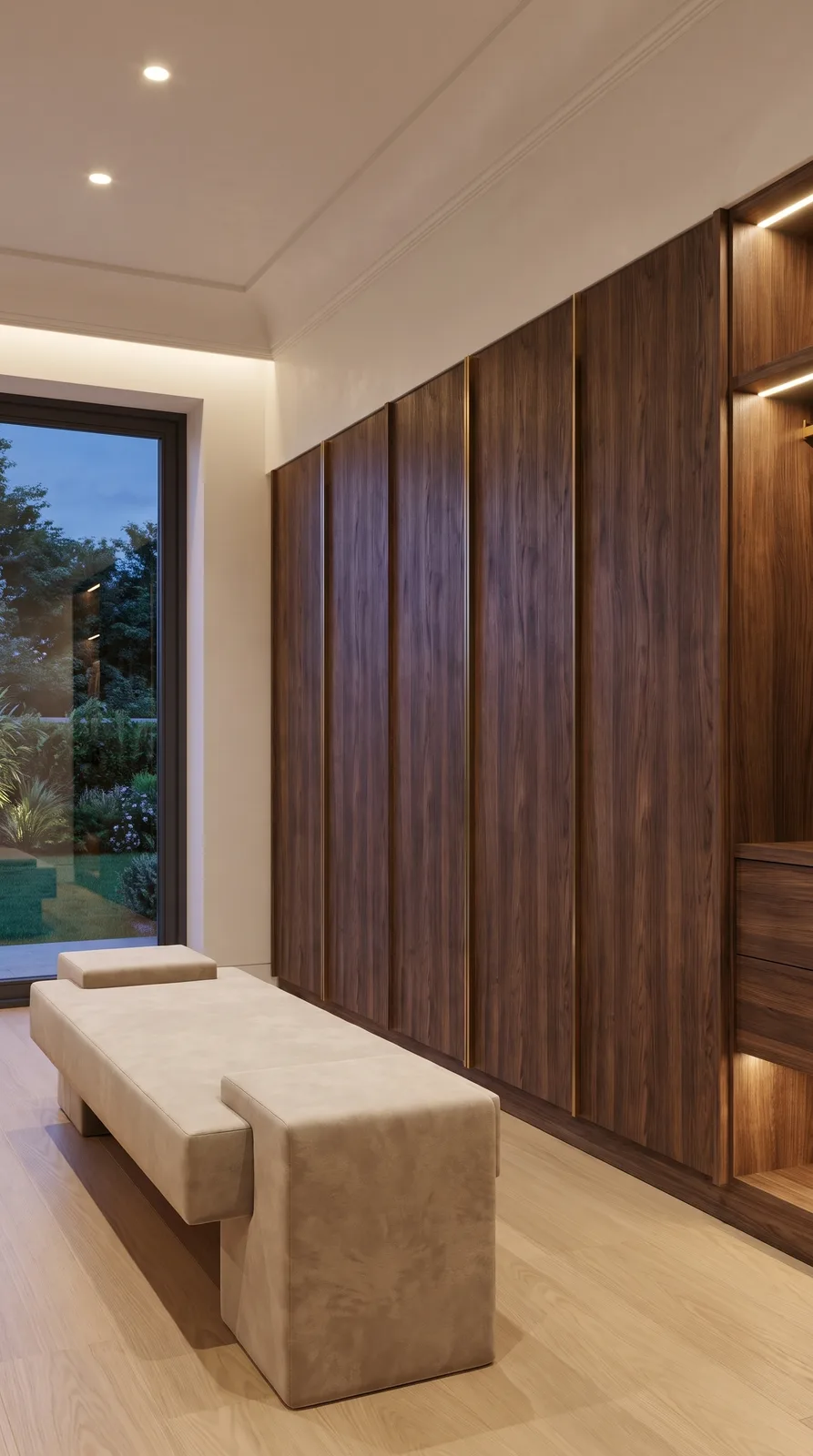
Nano Banana Pro
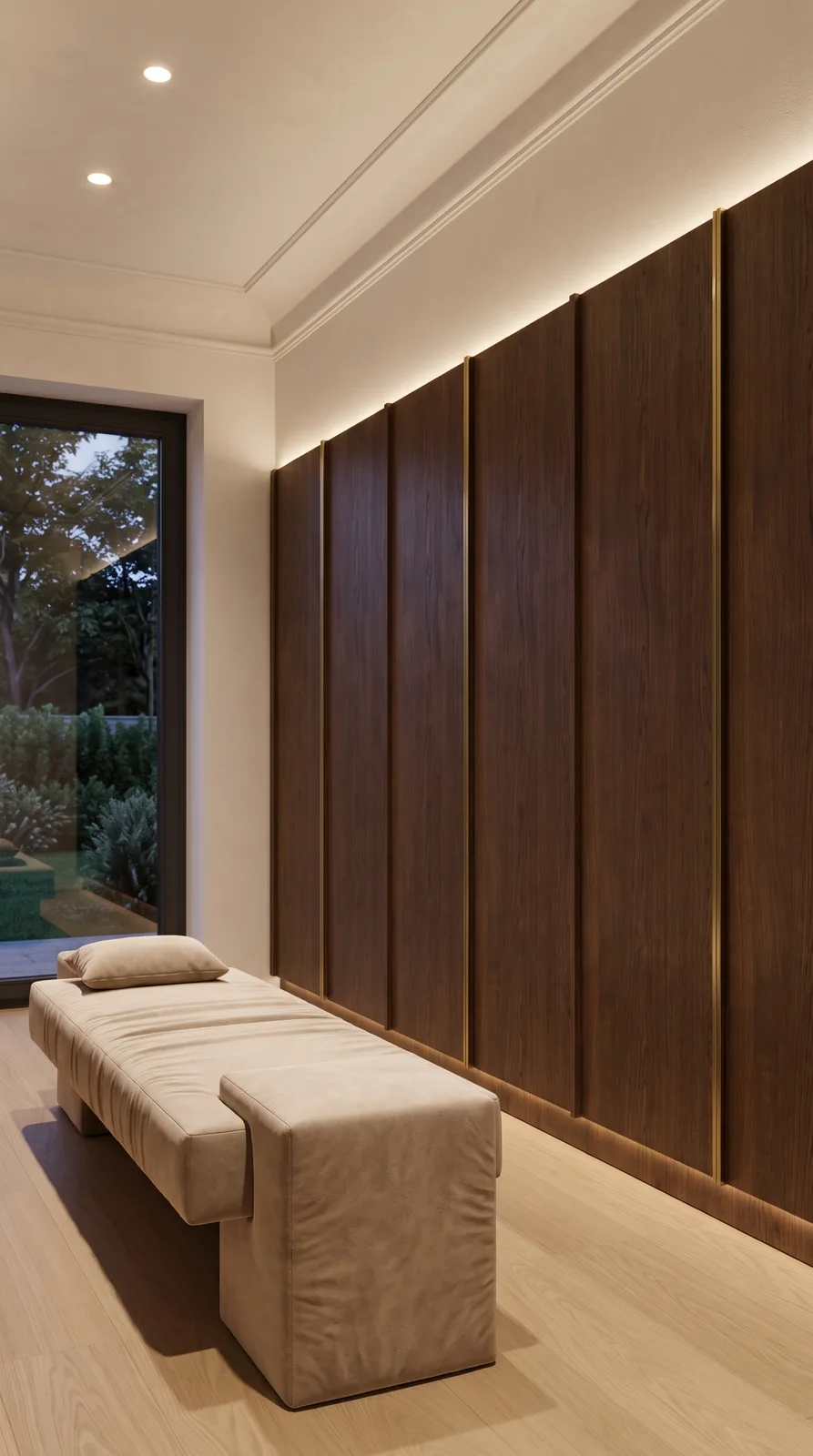
Nano Banana 2.1
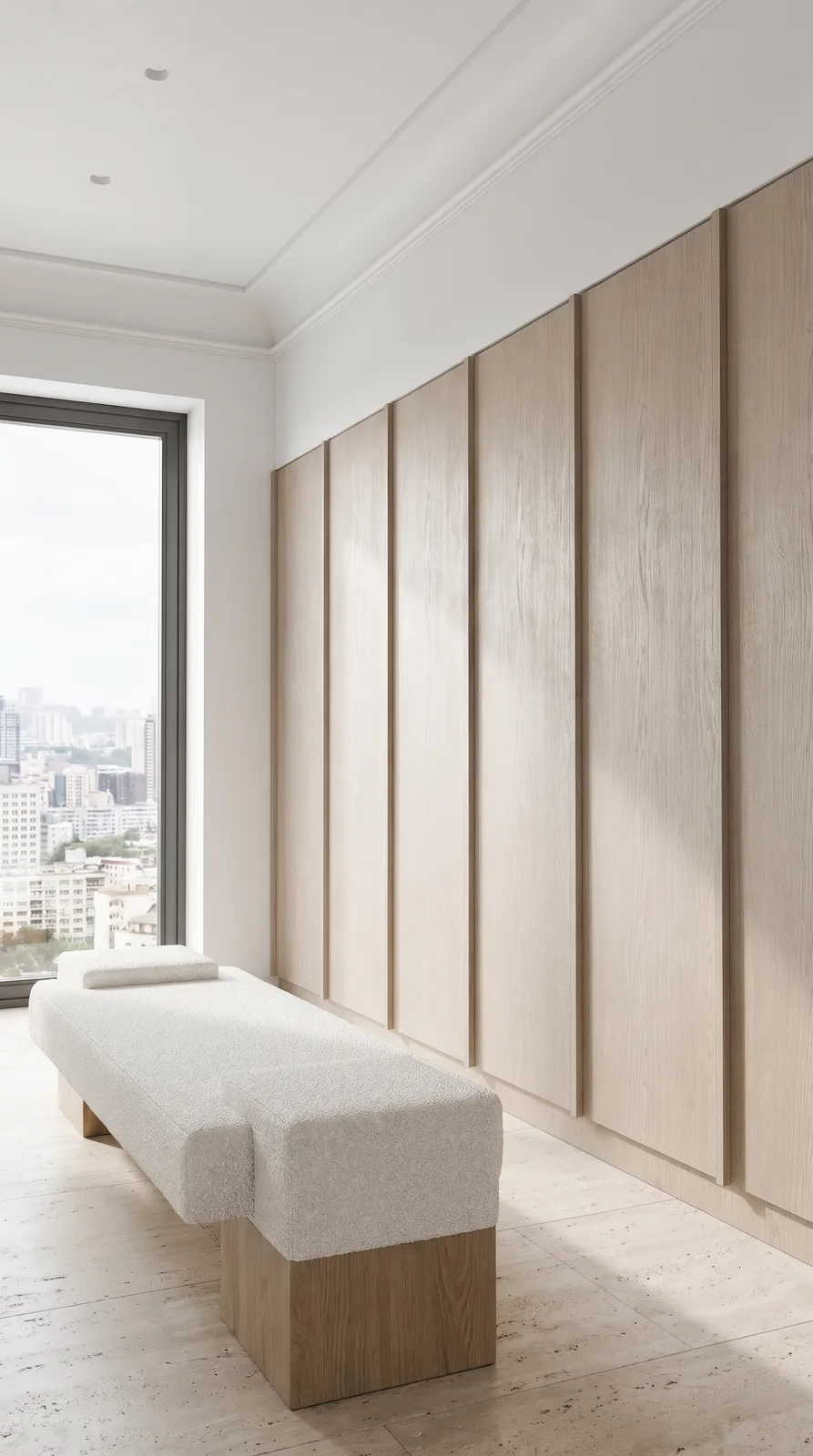
Nano Banana Pro, another request
- Nano Banana Pro: the cabinets, window, ceiling cornice, the bench shape with its armrest and the cushion match the model. Walnut, brass, velvet and the garden are as requested. But the AI “opened” the nearest cabinet section (on the right) on its own to show the lighting inside – it wasn't in the model. Response time – 55 seconds.
- Nano Banana 2.1: the cabinet geometry is in place, and it added a ceiling light cove. But it turned the bench into a soft quilted daybed – the object's shape changed. Cheaper and faster (48 seconds), fine for a draft.
- The last image is the same view with a different request: whitewashed oak, a travertine-look floor, bouclé and daylight. That's how finish options for a client come out of one model in a couple of minutes.
AI or V-Ray
| AI | V-Ray / Corona / D5 | |
|---|---|---|
| Time per image | about a minute | scene setup to render – hours |
| Setup | a view export and text | materials, lights, camera, render settings |
| Hardware | any, it runs on a server | a powerful GPU or a render farm |
| Material accuracy | “looks like”, colors and texture from the description | exact: a specific manufacturer's textures |
| Geometry | keeps the big things, may change details | exactly as in the model |
| A series of shots of one project | each shot is a new attempt, details may differ | one scene – all shots consistent |
| Best for | concepts, finish options, quick approvals | final shots, production visualization |
A common workflow among visualizers: finish and lighting options with AI while the client chooses; the chosen option in V-Ray or Corona if exact materials and a consistent series of shots are needed. If “this is how it will look” is enough for the client, a 4K AI image can be the final one too.
Price
| Model | 2K image | 4K |
|---|---|---|
| Nano Banana Pro | 10 credits ($0.37) | 15 credits ($0.55) |
| Nano Banana 2.1 | 5 credits ($0.18) | 6 credits ($0.22) |
In brackets – in money on the Start plan.
More “3D model → photo” and “sketch → photo” examples are on the AI interior rendering page. Missing a piece of furniture in 3D? You can make it from a photo – see the article “3D furniture model from a photo”.
FAQ
Can I render a SketchUp model without V-Ray?
Yes: export the SketchUp view as an image, upload it to an AI model and describe the materials and light. In about a minute you get a photorealistic image. It's enough for concepts and approvals; for a final render with exact manufacturer materials V-Ray or similar is still more reliable.
Do I need a SketchUp plugin?
No. The AI only needs an image of the view: File → Export → 2D Graphic. The model and textures aren't uploaded anywhere.
Will the AI change my model?
Walls, windows, cabinets and the camera angle usually stay. But the AI may add or simplify small things: open a cabinet section, change the shape of upholstered furniture, add decor. Say what must not change and check the result against the model.
How much does an AI render of a SketchUp model cost?
One Nano Banana Pro image costs 10 credits ($0.37) at 2K and 15 credits ($0.55) at 4K; Nano Banana 2.1 – 5 credits ($0.18) at 2K. No GPU needed – everything runs on the server.